150+ minds across 4 countries. Join a culture of innovation, ownership & growth.
Rewire for AI
From machine learning to deep learning, from classification tools to overall process automation – our AI engineers will help you retool your existing system or enhance your company results.
Ship faster, scale smarter, built for product companies and SaaS teams
Our Latest Work
We strive hard to deliver result-driven digital solutions across the globe. Check out our case studies to get a glimpse of how we ideate, innovate, and create unconventional digital solutions according to the requirements of our clients.
Discover diverse and passionate insights from our tech enthusiasts. We collaborate across various sectors to streamline operations and drive innovation. Explore our rapidly growing collection of articles to see why we’re at the forefront of IT solutions.
The decision to move from Magento to Shopify is one of the most significant replatforming choices an ecommerce business can make. Magento is powerful, but its power comes with...
Accuracy gap is real: Traditional CPG forecasting carries a 25-40% MAPE error rate. AI-powered models bring that down to 8-15%, according to McKinsey research....
Real stories from global leaders who trusted us with their ideas.
Partnering with APPWRK helped us build a compliant and scalable healthcare platform, accelerating our time-to-market by 35%. Their team consistently delivered outstanding work.
Beesers
Digital Healthcare Client
Collaborating with APPWRK, Sportskeeda modernized its platform into a real-time sports engagement ecosystem, enabling seamless content delivery, scalable fan interactions, and high-velocity performance.
Sportskeeda
Sports & Entertainment Partner
Working with APPWRK was effortless. They captured our vision, maintained full compliance, and delivered a digital experience that built trust and elevated how customers interact with our fintech brand.
PayPenny
Fintech Partner
Working with APPWRK gave us confidence in adopting AI responsibly. Their team built a safe, intelligent bot that transformed how we engage with leads and helped us achieve measurable revenue growth.
IFB
AI Transformation Partner
Leveraging APPWRK’s digital expertise, Nemesis launched a scalable, compliant, and safe super app that connects content delivery, real-time communication, and logistics management within a single platform.
Nemesis
Super App Partner
Transform Claims Together — Partner With APPWRK
Unlock smarter workflows and scalable success with our claims tech expertise.
A modern Claims Management Software serves as a centralised hub for FNOL, document management, claims entry, evidence capture, workflow management, and communication, delivering an end-to-end solution to the claims resolution process.
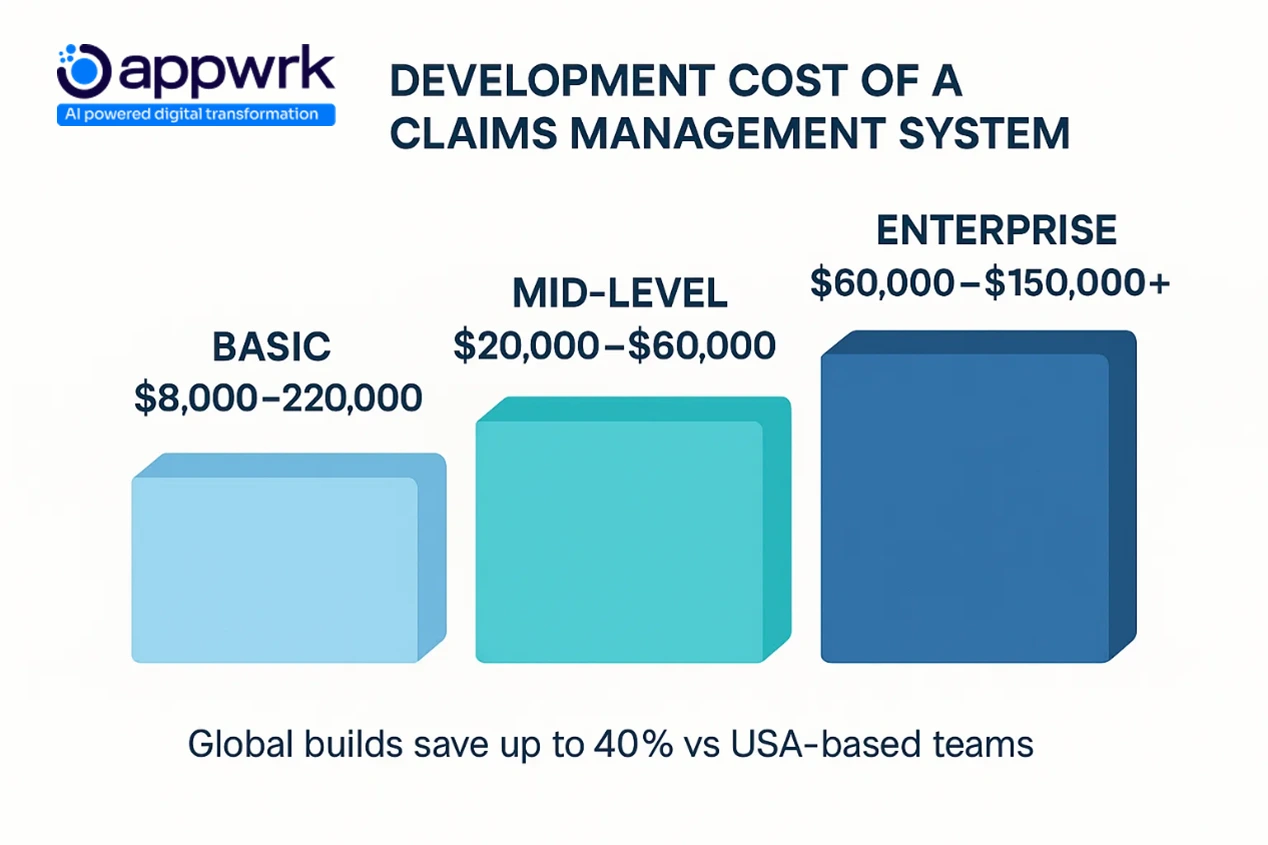
Claims Management Softwaredevelopment cost starts at $8,000, depending on integrations, automation, and business process automation (BPM), helping insurers eliminate manual processes and cut repetitive tasks that slow claims processing times.
Efficient Claims Management Software replaces paper files, spreadsheets, and email threads with shared workflows, a single source of truth, and real-time information, improving accuracy, visibility, and settlements.
Global insurers are modernising with Claims Management Solutions, Integrated Claims Management Systems (ICMS), and platforms like Duck Creek Claims, using advanced analytics, AI, and self-service portals to accelerate decisions and enhance customer satisfaction.
Insurance companies today no longer have the luxury of managing claims through paper files, spreadsheets, email threads, and disjointed workflows. With rising claim volumes, stricter regulatory demands, and customers who expect instant responses, the industry is undergoing a major shift. A Claims Management Software has now become a strategic necessity, powering efficiency, accuracy, and faster outcomes across the entire claims journey. Claims Management Software is an end-to-end insurance claims processing platform that automates FNOL, workflow routing, document handling, fraud checks, and settlements across insurers, TPAs, adjusters, and policyholders.
Across the globe, insurers, TPAs, adjuster networks, and appraisal firms are modernising their claims resolution process. The reason is simple: traditional claims management methods create bottlenecks, increase errors, and frustrate policyholders. Modern claims platforms, especially modern claims management Software and Integrated Claims Management Systems (ICMS), eliminate these friction points with automation, centralised data, and role-based workflows.
The numbers speak for themselves:
Intelligent automation can reduce claims processing times by almost half, enabling settlement cycles measured in days instead of weeks.
Companies that use Efficient Claims Management Software often see operational costs drop by nearly 30% because repetitive tasks disappear and manual processes shrink.
AI and machine learning are enabling Claims Management Solutions to deliver high straight-through processing rates, meaning a growing percentage of claims require zero manual intervention.
The message is clear: Claims technology modernisation is no longer optional. It’s how insurers boost customer satisfaction, ensure compliance, eliminate recurring issues, and make data-driven decisions with confidence.
Development Cost of a Claims Management Software(USA & Global) — Starting From $8,000
A lot of founders and insurance executives assume that a digital Claims Management Solution requires a massive upfront investment. In reality, development can begin at $8,000, depending on scope, compliance, and automation depth. But as features grow, especially in markets with life insurance products, strict governance, and integrations, pricing scales accordingly.
Claims Management SoftwareDevelopment Cost Breakdown by Complexity
Complexity Level
Description
Cost Range of Claims Management SoftwareDevelopment
A blended model often delivers the best resource allocation: Offshore development for build + US oversight for compliance and industry alignment.
What Is a Claims Management Software?
A Claims Management Software (often called a Claims Management Solution or ICMS) is a specialised software solution that provides a centralised hub for the systematic management and resolution of claims and disputes. It acts as the single source of truth for:
Claims entry and documentation of claims
tracking their progress in real time
automating communication channels with stakeholders
payment processing and settlement workflows
business process automation (BPM) for consistent outcomes
In other words, it replaces separate databases, manual files, and email chains with an end-to-end solution that improves operational efficiency, reduces human error, and enhances both internal productivity and customer experience.
Core Features of a Modern Claims Management Software
A truly modern claims management Software isn’t just digital storage; it’s an intelligent workflow ecosystem that shortens turnaround time, raises accuracy, and supports intelligent decision-making across teams.
Claims Intake & First Notice of Loss (FNOL)
Digital claim entry forms capture incident details, photos, and metadata instantly, removing manual inputs and speeding the claims process from the very first step.
Automated Assignment & Workflow Routing
Built-in logic and rule engines assign the right adjuster based on skillset, geography, or workload, reducing delays and improving workflow management consistency.
Document & Evidence Management
A centralised hub for upload, tagging, and permissions ensures compliant digital document handling, eliminating paper trails and misplaced files.
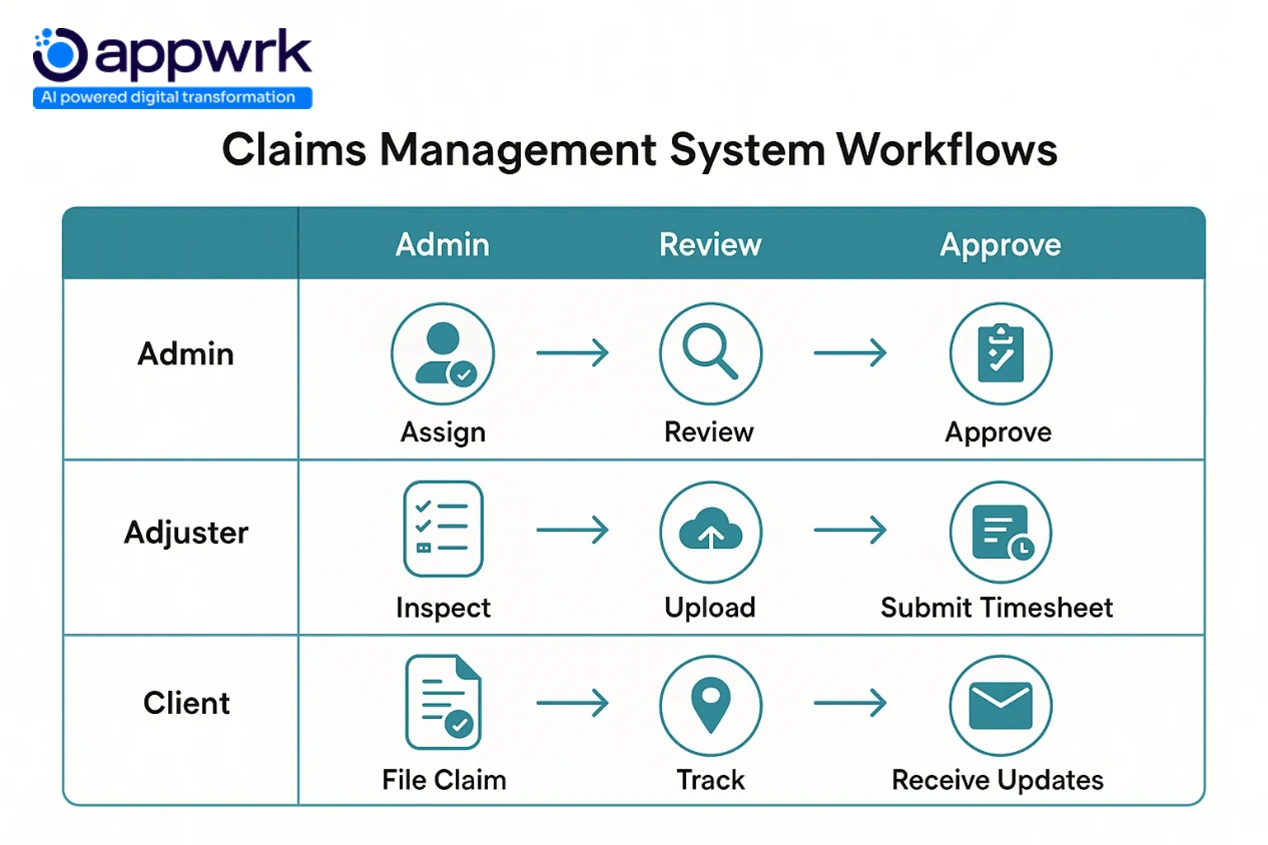
Adjuster Portal for Field Operations
Supports offline inspections, evidence capture, notes, and mobile claims management, perfect for remote adjusters handling a high volume of claims.
Client Portal for Self-Service
Empowers policyholders with transparency: status tracking, communication options, uploads, and notifications, boosting customer satisfaction and reducing support calls.
Timesheet Submission & Approval
Streamlines billing and vendor costs with shared workflows and centralised review.
Turns approved work into invoices and integrates with accounting platforms, simplifying settlements and revenue cycles.
Notification Center
Keeps all stakeholders aligned with real-time information alerts, status updates, and missing-document reminders.
Reporting & Analytics Dashboards
Enables advanced analytics for leadership, surfacing bottlenecks, fraud indicators, and performance gaps to support data management, optimisation, and business benefits.
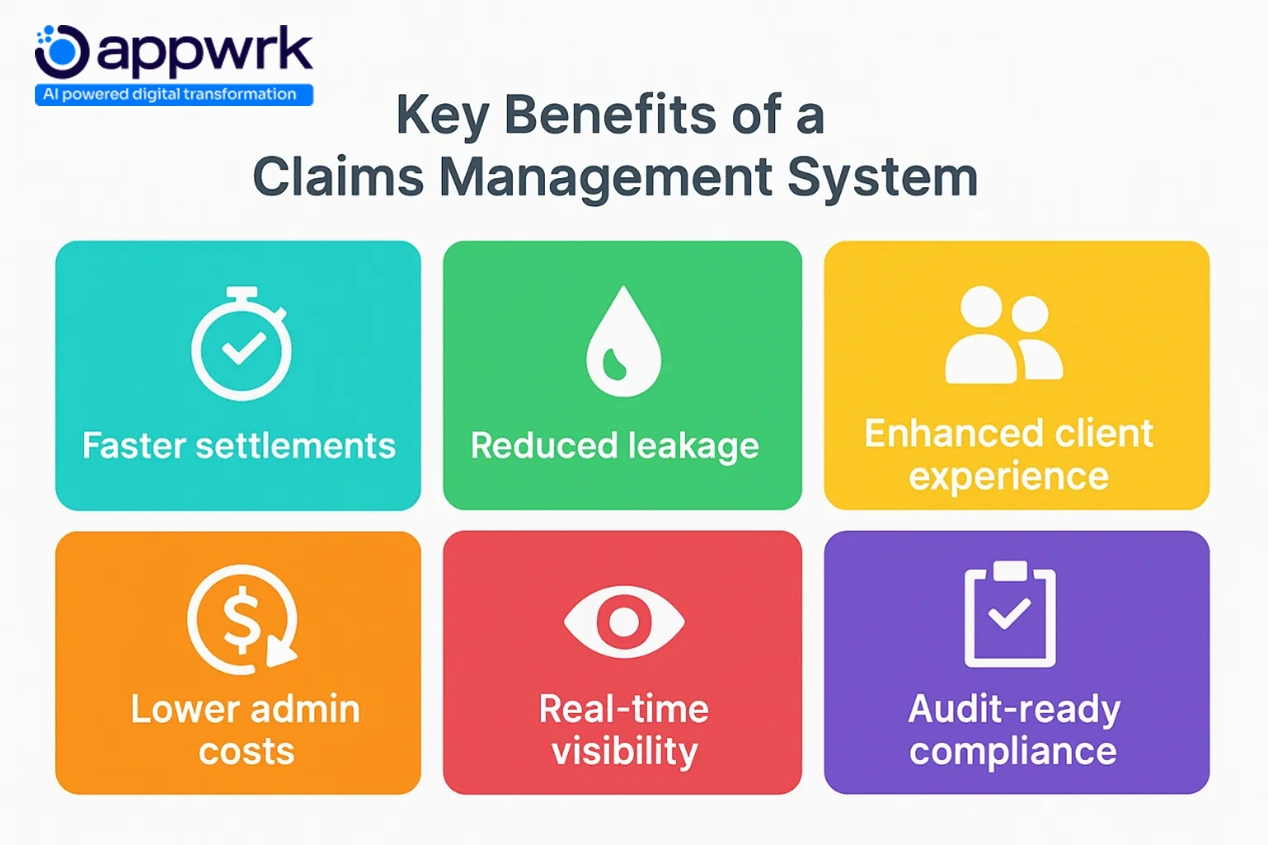
Key Benefits of a Claims Management Software
Modern insurance operations can no longer rely on spreadsheets or disconnected systems. A well-built Claims Management Software delivers measurable ROI, not just in cost savings, but in speed, visibility, and compliance.
Here’s how Claims Management Software transforms operations across core business goals:
2. Lower Operational Costs — Without Hiring More People
A Claims Management Software removes repetitive steps that usually consume adjuster time, such as copying data, finding files, sending updates, and hunting for documents.
Automation handles:
Triaging and routing
Evidence tagging
Notifications and reminders
Data entry and document checks
Result: Teams process more claims per adjuster and scale volume without scaling headcount.
3. A Better Experience for Every Stakeholder
Whether it’s a policyholder asking, “Where is my claim?” or an adjuster searching for the latest document, clarity matters.
Modern Claims Management Software platforms offer:
Self-service portals for clients
Mobile tools for adjusters in the field
Real-time notifications to eliminate confusion
Outcome: Fewer status calls, smoother communication, and a customer journey that feels transparent, not adversarial.
4. Higher Accuracy = Less Leakage, Fewer Disputes
Insurance leakage happens when incorrect payouts slip through due to:
Missing data
Human oversight
Fraudulent submissions
A Claims Management Software tackles these with:
Rule-based validations
Audit trails
Fraud scoring algorithms
Document traceability
Business impact: Clean settlements, fewer errors, reduced fraud exposure, and better reporting confidence.
5. Compliance Without the Last-Minute Fire Drill
Audit season shouldn’t feel like panic season. With a CMS, compliance becomes an always-on capability.
Role-based permissions, time-stamped actions, and tamper-proof logs ensure readiness for:
SOC2
HIPAA
GDPR
State and regional mandates
Result: No scrambling, no missing documents, just clean, verifiable records.
Use Cases of Claims Management Softwareby Industry Vertical
A Claims Management Software adapts to different types of insurance like a tailored suit, same foundation, different fitting.
Auto Insurance
FNOL with instant photo uploads
VIN checks and damage estimation
Large field-adjuster teams rely on mobile-first workflows.
Health Insurance
HIPAA-secure documentation
Automated OCR for bills and treatment codes
Fraud-risk scoring for medical claims.
Property Insurance
On-site assessments with geo-tagged evidence
Contractor/vendor timesheets and automated invoicing
Self-service portals reduce dependency on agents
Takeaway: A Claims Management Software isn’t a generic tool; it becomes the operating fabric of every insurance vertical.
Case Study Snapshot — Regional Damage Appraisal Firm
Client: Mid-sized U.S. appraisal network Challenges: Delayed claims, manual timesheets, disconnected invoicing Solution:Web-based Claims Management Software with mobile adjuster tools + QuickBooks sync Results:
Advanced Capabilities for USA & Global Insurance Markets
A CMS must scale beyond forms and files; it must support different laws, regions, and operating models.
Self-Service Portals
Let customers and partners manage claims independently Cuts support calls by up to 40%
Fraud Analytics
AI-based detection at the FNOL stage Ideal for U.S. SIU (Special Investigations Unit) requirements
Automated Workflows
SLA-based routing, document checks, and escalations Works for teams of five or five thousand
Regulatory Compliance
SOC2, HIPAA, and GDPR baked into the system Audit prep time drops by 70%+
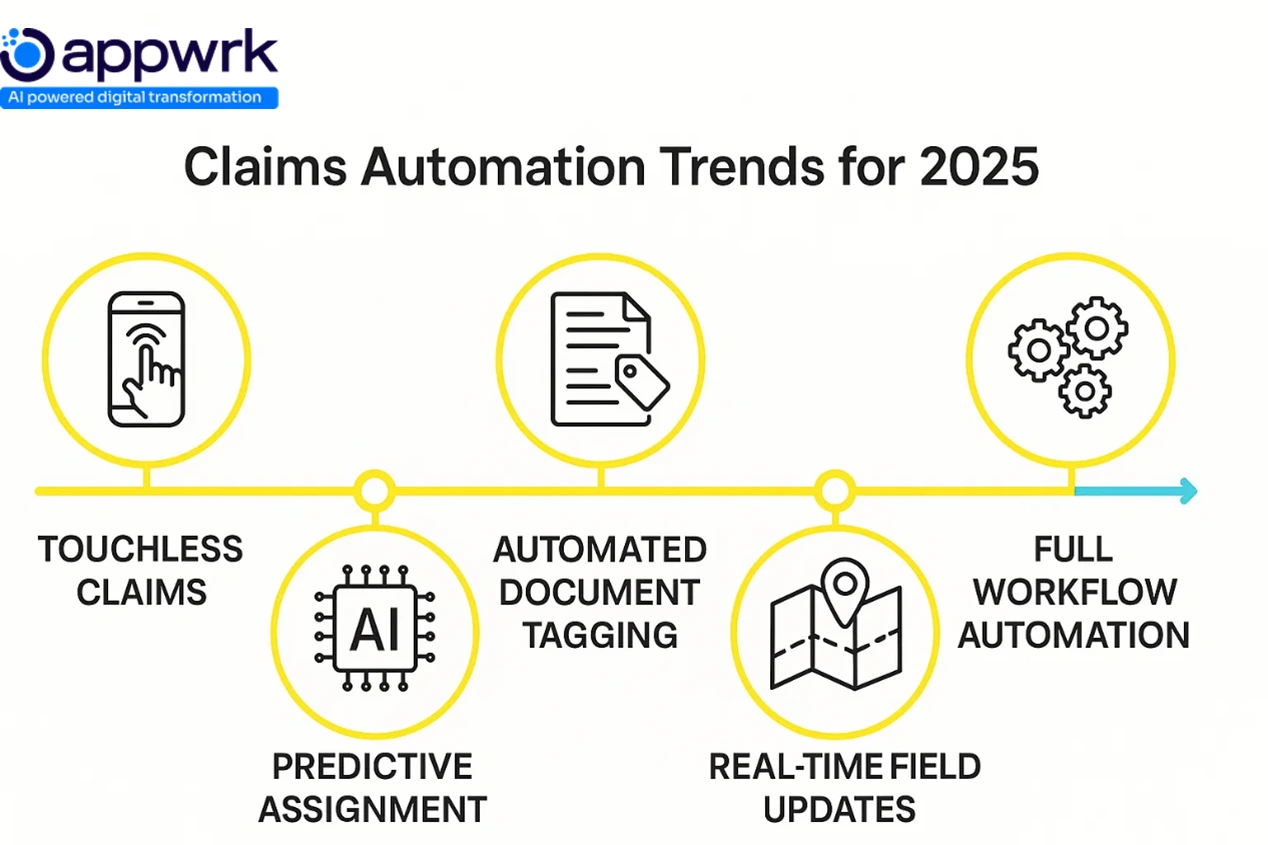
Claims Automation Trends
Insurance claims are moving into an era where decisions are faster, human intervention is minimal, and data drives every action. In today’s world, automation isn’t a differentiator anymore; it’s the baseline expectation for carriers, TPAs, and appraisal networks looking to compete.
Touchless Claims Processing
Claims are filed, verified, and settled without human interaction for simple, repetitive use cases. Digital FNOL, automated validation checks, and payout triggers eliminate the back-and-forth traditionally required in early claim stages.
Impact: Cycle times drop from weeks to as little as 48 hours, ideal for high-volume, low-complexity claims.
Predictive Assignment
Instead of waiting for an admin to assign a claim, AI evaluates geography, workload, past adjuster performance, and claim type, then sends it to the person most likely to resolve it quickly.
Impact: Adjusters receive cases they are best equipped to handle, improving both speed and settlement accuracy.
Automated Document Classification
Machine learning sorts and categorises uploaded documents instantly, including invoices, police reports, estimates, and medical forms, while flagging missing or conflicting entries.
Impact: Pre-validation becomes a seconds-long process rather than a manual, error-prone effort.
Real-Time Field Updates
Adjusters can upload photos, notes, and inspection videos directly from the field. Even in low-network environments, data syncs once connectivity resumes.
Impact: Eliminates paperwork delays and ensures that all stakeholders view updates in near real time.
End-to-End Workflow Automation
From FNOL to payout, rules and triggers replace manual follow-ups. Compliance checks, fraud flags, notifications, and SLAs run in the background without user intervention.
Impact: Claims move consistently across regions and teams, ensuring predictable service levels.
AI, ML & Computer Vision in Modern Claims Processing
Artificial Intelligence and Machine Learning have become foundational to modern claims strategy. They reduce human decision bottlenecks, surface risks, and speed up adjudication with remarkable accuracy.
Computer Vision for Damage Detection
Algorithms analyse images of automobiles, property, or assets to detect dents, cracks, water damage, and more. Clients and adjusters simply upload images, and the system interprets severity and estimates cost.
Impact: Cuts down the need for on-site inspections in almost half the cases.
AI-Based Fraud Scoring
Models examine patterns in claim behaviour, location, timing, and historical frequency to score fraud likelihood. Suspicious cases are escalated to SIU teams automatically.
Impact: Fewer false payouts and stronger regulatory posture.
Optical Character Recognition converts PDFs, handwritten forms, and scanned images into structured data fields.
Impact: Claim setup time is reduced by more than half, with dramatically fewer entry errors.
ML-Driven Claim Triage
Models learn from historical outcomes to classify claims by urgency, value, and complexity, ensuring that senior adjusters only handle cases that demand expertise.
Documents are checked for authenticity, duplication, metadata mismatches, and inconsistencies.
Impact: Audit trails become airtight, and forgery attempts become easier to detect.
Smart Communication Assistants
Automated agents answer status queries, send document reminders, and provide claim updates. They handle most routine interactions, keeping adjusters focused on decisions, not logistics.
Impact: Customer questions are resolved faster without burdening operations teams.
Migrating from Legacy Claims Systems — Best Practices
Migrating off old platforms is not just a technical upgrade; it’s an operational reset. Done correctly, it eliminates decades of manual debt and positions insurers for scale.
1. Audit & Discovery
Map every role, workflow, and integration before development begins. Identify which processes deliver value and which must be retired.
Goal: Avoid replicating inefficiencies in the new system.
2. Clean and Map Data
Legacy databases often hold incomplete, duplicated, or outdated information. Data cleanup must happen before migration.
Goal: Ensure claims, policyholder, and document histories transfer cleanly.
3. Modular Migration
Skip the all-or-nothing approach. Start with non-critical flows such as FNOL, notifications, or invoicing.
Goal: Reduce rollout friction and control risk.
4. Integration Testing
Ensure the new Claims Management Software communicates correctly with accounting, CRM, ERP, and communication systems.
Goal: Catch issues before customers experience them.
Deploy in waves rather than moving every adjuster and client at once.
Goal: Contain failures, gather feedback, and optimise before scaling.
6. User Training & SOPs
The most powerful Claims Management Software fails if users can’t operate it confidently. Provide clear workflows, internal champions, and recorded walkthroughs.
Goal: Drive adoption and reduce dependency on legacy habits.
Common Challenges in Claims Management SoftwareDevelopment
Building modern claims management Software is not just a coding exercise; it’s about replacing traditional claims management and manual processes with a centralised hub that supports real-time information, business rules, compliance safeguards, and collaboration tools. Teams often underestimate the effort required to align workflows, roles, and regulatory expectations. Here are the biggest hurdles insurers face when developing or optimising a Claims Management Solution:
Data Security & Compliance
The challenge: Claims data includes medical records, policy information, payment processing, and sensitive personal details, making insurers prime targets for breaches and compliance risks.
What to watch:
Encryption at rest and in transit
Role-based access control (RBAC) and audit logs
HIPAA, SOC 2, and GDPR governance requirements
Strategic guidance: Compliance must be designed into the architecture, not patched later. This is foundational for an Integrated Claims Management System (ICMS) that acts as a single source of truth.
The challenge: A Claims Management Software must support adjusters, TPAs, insurers, clients, and vendors, each with different permissions, documentation needs, and settlement responsibilities.
What to watch:
Conflicting workflow management rules
Disjointed workflows created through over-customisation
Escalation delays due to unclear routing logic
Strategic guidance: Use business process automation (BPM), rule engines, and dynamic routing to scale complexity without breaking user journeys or slowing the claims resolution process.
Fraud Detection Requirements
The challenge: Fraudulent claims affect operational productivity, payouts, and trust. Manual checks are inconsistent and reactive.
What to watch:
Shallow fraud scoring logic
Lack of integration with fraud detection tools
High false positives are slowing settlements
Strategic guidance: Use machine learning and Artificial Intelligence for proactive risk identification, not just post-incident alerts.
Integration with Legacy Systems
The challenge: Many insurers still rely on paper files, spreadsheets, email threads, or separate databases connected to outdated CRMs or accounting platforms.
What to watch:
One-way syncs that disrupt the claims process
Field-mapping errors between systems
Long refresh cycles create stale data
Strategic guidance: Build API wrappers and pre-integrated solutions for future-proof interoperability. Integration capabilities are non-negotiable for any Efficient Claims Management Software.
The challenge: Auto, health, property, and life insurance products follow very different workflows, terminology, and documentation needs.
What to watch:
Generic templates that don’t support a high volume of claims
Reduced customer satisfaction due to poor UX
Operational resistance from teams used to legacy systems
Strategic guidance: Use modular configurations and low-code configurability to tailor processes without rewriting core logic.
Claims Management SoftwareProject Timeline (USA & Global Development Estimates)
Timelines vary based on complexity, compliance, and integrations. Below are realistic expectations for Claims Management Solutions:
Claims Management Software Type
USA Teams
Global Teams
Basic Software
4–6 weeks
3–5 weeks
Mid-Level Software
8–12 weeks
6–10 weeks
Enterprise Software
14–20+ weeks
12–18+ weeks
Global teams typically accelerate development by 30–40% when requirements and documentation are well-defined.
Claims Management Software Regional Cost Analysis — USA vs Global
Region
Hourly Rate to build Claims Management Software
Mid-Claims Management Software Cost
Compliance Expertise
USA
$120–$180/hr
$40K–$60K
Very High
Eastern EU
$40–$60/hr
$20K–$35K
Moderate
India
$25–$50/hr
$15K–$25K
Moderate–High
Best practice: Hybrid delivery models (global engineering + US QA and compliance) provide the best balance of cost and oversight.
How APPWRK Helps Build Scalable Claims Management Software
APPWRK combines strategy, engineering, and insurance domain expertise to ship systems that scale:
20+ insurance technologies delivered
SOC2, HIPAA, GDPR-ready architectures
Hybrid US + offshore team for cost efficiency
92% implementation success rate
12-month support, enhancements, and integration partners
APPWRK doesn’t just digitise claims; it creates end-to-end solutions that reduce claims processing times, streamline documentation handling, and unlock measurable operational benefits.
Talk to our Claims Management Softwareexperts to plan your build →Contact Appwrk now!
Founder’s Guide to Building a Claims Management Software
If you’re building or modernising a CMS, don’t begin with features; begin with structure.
Key steps:
Define user roles and shared workflows early
Start modular (FNOL → documents → negotiation and payment management)
Budget smart using offshore teams and open-source components
Prioritise Automated Assignment and integration capabilities.
Avoid overbuilding, enhance based on real-world usage and recurring issues.
Founders who follow this approach reduce disputes, eliminate manual processes, and achieve intelligent decision-making faster, without burning capital on unnecessary scope.
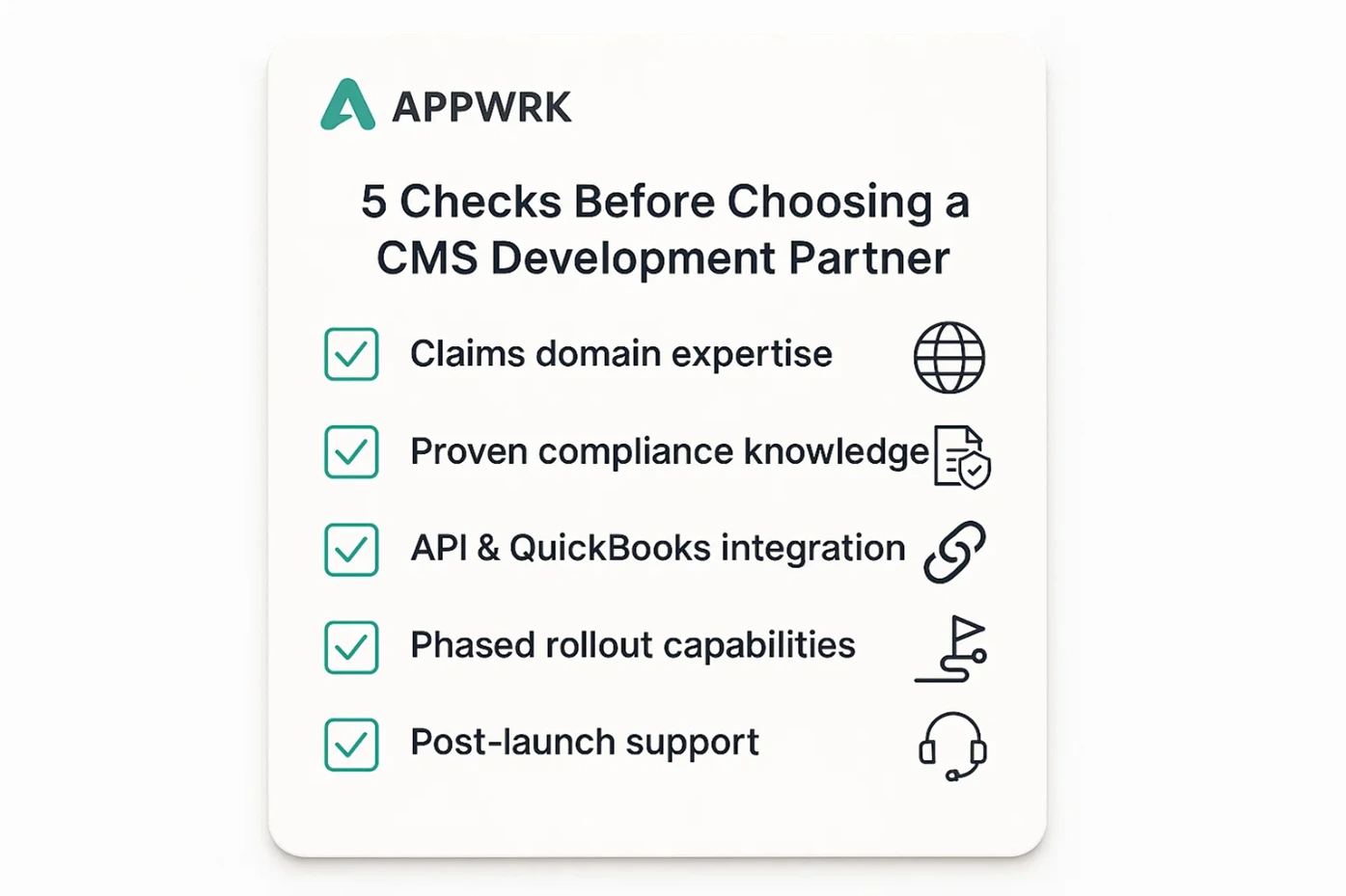
5 Checks Before Choosing a CMS Development Partner
Not all development teams understand the insurance world. Before you sign a contract, validate these essentials:
Experience with insurance workflows You don’t want a general app vendor; you need a team that understands the claims resolution process, adjuster operations, disputes, compliance needs, and the realities of settlement cycles.
Integration capabilities Your Claims Management Solution must connect seamlessly with QuickBooks, CRMs, and third-party data sources. If a vendor struggles with integrations now, scaling later becomes painful.
Compliance readiness A Claims Management Software touches regulated data. Ensure your partner can architect for HIPAA, SOC 2, GDPR, and secure document management from day one, not as an add-on.
Modular development approach Avoid monolithic systems. A good partner builds in phases, FNOL first, then workflows, payments, and analytics, so you see ROI early and reduce risk.
Long-term post-launch support The real work begins after go-live. Choose a team that can maintain workflows, add features, monitor performance, and evolve your Integrated Claims Management Software as regulations and business needs change.
Bottom line: The right partner doesn’t just build software; they become an operational ally. Choose wisely, and your Claims Management Software becomes an asset. Choose poorly, and you inherit another legacy problem.
FAQs
What is the average cost of developing a Claims Management Software? Typically $20,000–$60,000 for a mid-level system, based on workflow complexity, integrations, and region.
How long does development typically take? Most builds take 6–12 weeks, including testing and go-live.
Which features are essential for insurers vs TPAs? Insurers prioritize compliance and regulatory workflows; TPAs care most about billing automation, Automated Assignment, and operational efficiency.
Can a Claims Management Software integrate with QuickBooks? Yes, via secure APIs. Accounting sync is a standard part of modern claims management solutions.
How secure is a modern CMS? Very secure. Encryption, RBAC, audit trails, and compliance-grade architecture are now baseline requirements.
What industries use claims management Software? Insurance, legal, construction, healthcare, and third-party administration firms, essentially any sector handling high volumes of claims or documentation.
How does automation improve claims? It removes repetitive tasks, reduces errors, and shortens claims processing times, boosting customer experience and settlement speed.
Does AI help reduce fraud? Yes, Artificial Intelligence identifies risky patterns early, reducing false payouts and compliance risks.
What affects cost the most? Workflow complexity, role count, document automation, and the number of integration partners.
Can the Software support multiple user roles? Absolutely. Modern claims management software is built for adjusters, TPAs, clients, vendors, and admins, each with shared workflows and unique permissions.
Is cloud hosting required? It’s strongly recommended for uptime, scalability, and secure remote access, especially if teams work across regions.
Ready to build a Claims Management Software that improves operational efficiency instead of adding another layer of manual work?
APPWRK can design, develop, and deploy your Claims Management Software, from the first workflow to full-scale rollout.
Gourav Khanna is the Co-founder and CEO of APPWRK, leading the company’s vision to deliver AI-first, scalable digital solutions for enterprises and high-growth startups. With over 16 years of leadership in technology, he is known for driving digital transformation strategies that connect business ambition with outcome-focused execution across healthcare, retail, logistics, and enterprise operations.
Recognized as a strategic industry voice, Gourav brings deep expertise in product strategy, AI adoption, and platform engineering. Through his insights, he helps decision-makers prioritize market traction, operational efficiency, and long-term ROI while building resilient, user-centric digital systems.
Subscribe to APPWRK Blogs, We'll Do the Rest!
Get Blogs on UI/UX, Mobile Apps, Online Marketing, and Web development technology.
Unlock worthy and priceless suggestions from the masters of mobile and web app development