150+ minds across 4 countries. Join a culture of innovation, ownership & growth.
Rewire for AI
From machine learning to deep learning, from classification tools to overall process automation – our AI engineers will help you retool your existing system or enhance your company results.
Ship faster, scale smarter, built for product companies and SaaS teams
Our Latest Work
We strive hard to deliver result-driven digital solutions across the globe. Check out our case studies to get a glimpse of how we ideate, innovate, and create unconventional digital solutions according to the requirements of our clients.
Discover diverse and passionate insights from our tech enthusiasts. We collaborate across various sectors to streamline operations and drive innovation. Explore our rapidly growing collection of articles to see why we’re at the forefront of IT solutions.
The decision to move from Magento to Shopify is one of the most significant replatforming choices an ecommerce business can make. Magento is powerful, but its power comes with...
Accuracy gap is real: Traditional CPG forecasting carries a 25-40% MAPE error rate. AI-powered models bring that down to 8-15%, according to McKinsey research....
Real stories from global leaders who trusted us with their ideas.
Partnering with APPWRK helped us build a compliant and scalable healthcare platform, accelerating our time-to-market by 35%. Their team consistently delivered outstanding work.
Beesers
Digital Healthcare Client
Collaborating with APPWRK, Sportskeeda modernized its platform into a real-time sports engagement ecosystem, enabling seamless content delivery, scalable fan interactions, and high-velocity performance.
Sportskeeda
Sports & Entertainment Partner
Working with APPWRK was effortless. They captured our vision, maintained full compliance, and delivered a digital experience that built trust and elevated how customers interact with our fintech brand.
PayPenny
Fintech Partner
Working with APPWRK gave us confidence in adopting AI responsibly. Their team built a safe, intelligent bot that transformed how we engage with leads and helped us achieve measurable revenue growth.
IFB
AI Transformation Partner
Leveraging APPWRK’s digital expertise, Nemesis launched a scalable, compliant, and safe super app that connects content delivery, real-time communication, and logistics management within a single platform.
Nemesis
Super App Partner
Transform Workforce Scheduling Through the Right Partnership
Explore how the right scheduling strategy and technology partnership can modernize workforce planning and drive operational efficiency.
If you’re still stuck with manual spreadsheets for workforce planning, it’s time to switch to employee scheduling software. Starting from just ₹18,000 (~$215), these tools make shift planning, time tracking, and compliance easier for all industries.
Here’s what you’ll gain inside this guide:
Move past free employee scheduling software Excel templates to modern apps.
Use an employee schedule maker that saves hours and improves team communication.
Compare employee scheduling software pricing, features, and free vs paid plans.
Find the best employee scheduling software for restaurants, healthcare, retail, hospitality, and construction.
Learn how auto-scheduling, shift templates, and labour law compliance boost efficiency.
We’ll review trusted tools like Connecteam, Deputy, Homebase, 7shifts, Sling, Shiftboard, Planday, Apploye, Agendrix, ZoomShift, and more.
You’ll also discover how to:
Select the right employee shift scheduling app for your operations.
Choose between construction, healthcare, or hospitality scheduling software.
Weigh open source staff apps vs custom-built scheduling software.
With Appwrk’s custom workforce management solutions, you get scalable scheduling software at lower costs, complete with payroll integration, GPS-enabled time tracking, in-app chat, and time-off management.
How We Evaluated the Best Employee Scheduling Software
Core scheduling and shift-management features
Ease of use for managers and employees
Industry suitability (retail, healthcare, construction, etc.)
Pricing transparency and scalability
User adoption, reviews, and ecosystem maturity
Choosing the right employee scheduling platforms depends on your industry, team size, and budget. Below are the top tools, broken down by their strengths, features, and pricing.
1. Connecteam – Best for Custom Checklists and All-in-One Scheduling
Key Features
Drag-and-drop employee schedule maker with employee names visible
15. ScheduleAnywhere – Best for Call Centres and Multi-Shift Teams
Key Features
Built for call centre and online employee scheduling software, workforce management
Handles multi-location, multi-shift scheduling
PTO, availability, and time off management
Forecasting tools for staffing demand
Internal alerts and notifications
Pros
Excellent at handling open shift coverage and tracking employee absences
Best for high-volume teams like customer support centres
Works well for compliance with labour laws in multiple regions
Cons
Not ideal for very small businesses
Limited UI customisation
Rating: 4.3/5
Why Custom Employee Scheduling Software Is Better Than Pre-Made Tools?
While off-the-shelf employee scheduler apps like Connecteam, Deputy, or when you integrate Sling work well for standard use cases, they often fall short for businesses with complex labor laws, multiple job sites, and strict break compliance needs. This is where custom workforce management software built through outsourced development goes beyond cookie-cutter solutions.
Tailored to your operations Instead of generic templates, a custom auto-scheduler can handle unique leave types, advanced labor demand forecasts, and industry-specific payroll processing requirements.
Stronger automation and AI Pre-made tools rely on basic features, but custom solutions can deliver AI-optimized schedules, enforce compliance across labor budget controls, and even integrate automatic scheduling with Time Tracking Software.
Seamless integrations Custom development ensures smooth connections with your POS systems, Shopify, Microsoft project plan software, or any internal Project Management tools like Basecamp, GoPlan, or Copper Project—without messy workarounds.
Improved user experience and security From the admin side dashboards to internal communication features, custom systems provide better security, faster exports (via CSV file), and optimized workflows for upcoming shifts, shift requests, and shift trade requests.
Scalable for any industry Whether it’s assisted living, professional services, schools, or large distributed teams across multiple job sites, a tailored platform grows with your business, unlike rigid pre-made apps.
Pre-made apps help you get started, but custom employee scheduling software, built with outsourced development expertise, gives you full control over timesheets, compliance, and workforce management software at enterprise scale.
Build a custom employee scheduler with Appwrk, tailored to your team, budget, and compliance needs.
Comparison: Top Employee Scheduling Software
Employee Scheduling Software Software Name
Free Plan Availability
Best For (SEO Optimised Use Case)
Core Features of Employee Scheduling Software
Limitations in Free Plan
Connecteam
Yes – Free for small teams
All-in-one employee scheduling software for retail & construction
Drag-drop scheduling, GPS clock, task checklists
Limited integrations
Homebase
Yes – Free forever for 1 location
Retail employee scheduling software & small businesses
Time clock, payroll integration, team messaging
Free plan limited to a single location
Deputy
Limited free trial only
Healthcare employee scheduling software & multi-location teams
Auto-scheduling, compliance, and labour forecasting
No permanent free plan
7shifts
Yes – Free for small teams
Restaurant employee scheduling software
Labour cost tracking, shift swaps, and mobile app
Free plan capped at 10 employees
When I Work
Yes – Basic free plan
Multi-location and call centre employee scheduling software
Real-time scheduling, in-app chat, alerts
Reporting is limited in the free tier
Sling
Yes – Free version
Construction employee scheduling software & startups
Templates, budgeting, and PTO tracking
Ads in the free version
Buddy Punch
No – Paid only
Small business time clock and employee scheduler
GPS clock, payroll reports, PTO
No free plan
Planday
No free version
Hospitality & retail employee scheduling software
Shift templates, payroll sync, labour analytics
No free plan
Agendrix
Limited free trial
Call centre employee scheduling software
Templates, PTO, notifications
No free plan
Findmyshift
Yes – Free basic plan
Open source employee scheduling software
Spreadsheet-style scheduling, alerts, and time-off tracking
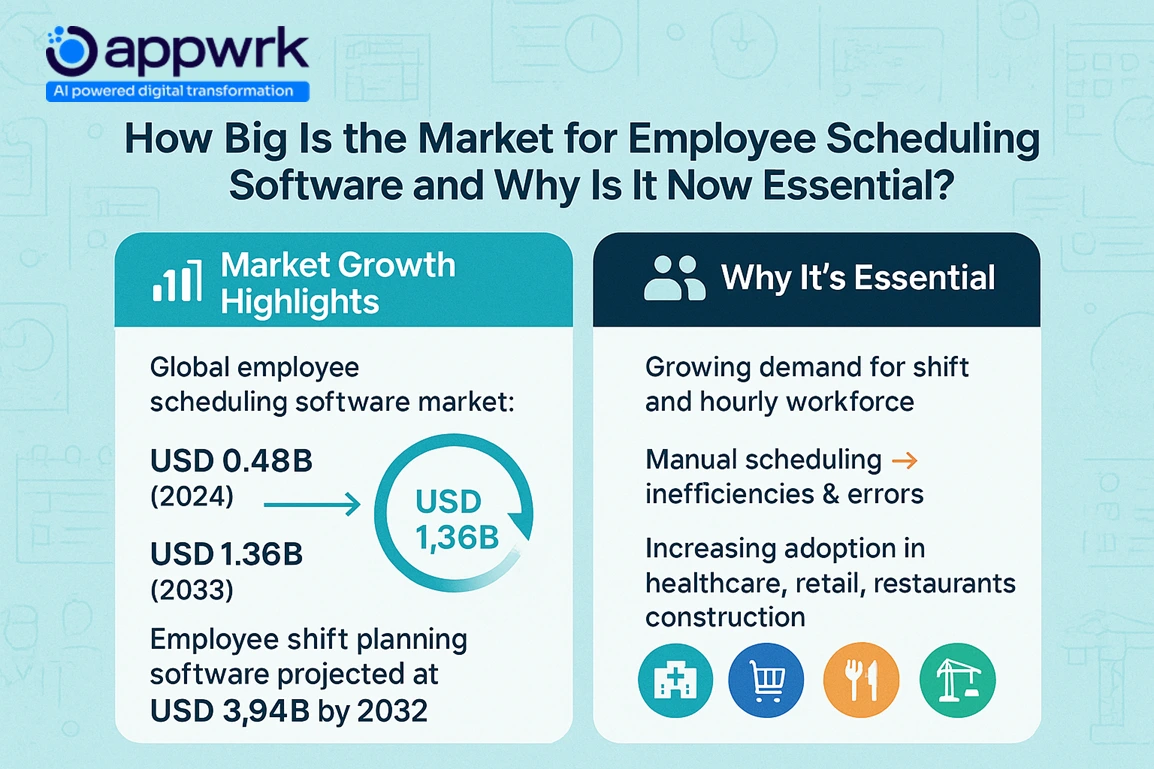
With more businesses relying on shift-based or hourly teams, employee scheduling software online has moved from being a “nice-to-have” to a must-have. From restaurants to hospitals, managers now need real-time tools that reduce manual effort and keep operations smooth.
Growing demand for shift and hourly workforces
Industries like healthcare, retail, construction, and hospitality are built on rotating shifts. Manual tools simply can’t keep up with growing workforce sizes and compliance requirements. Workforce management software helps reduce gaps, overlaps, and the headaches of last-minute coverage.
Why manual scheduling is no longer viable
Paper rosters or Excel sheets may work for a 5-person café, but they collapse under the weight of multiple shifts, callouts, and seasonal spikes. Errors here often mean track employee absences going unnoticed, overtime costs rising, or frustrated employees leaving. A shift scheduler or employee shift scheduling app keeps everyone aligned without constant back-and-forth.
Key market statistics (TAM, CAGR)
The global employee scheduling software market is set to grow from USD 0.48B in 2024 to USD 1.36B by 2033. Another report predicts the job scheduling and shift planning segment will reach USD 3.94B by 2032, growing at a CAGR of 9.6%. This growth is being fueled by higher adoption of employee schedule makers, freeemployee scheduling software free Excel, and more advanced SaaS platforms with payroll integrations.
Which Employee Scheduling Software Is Best for Your Business Type?
Not every team has the same needs. The best employee scheduling software for small businesses, retail chains, hospitals, or construction crews depends on industry, workforce size, and budget. Here’s how to find the right fit.
Best Employee Scheduling Software for Small Business
Small teams need tools that are simple, affordable, and quick to set up. The right employee work schedule software should reduce errors and free up management time.
Best picks:
Homebase – A free employee schedule maker with payroll sync
Connecteam – All-in-one job scheduling + team communication
Sling – Affordable and flexible for small business scheduling
Tools Built for Restaurants and Cafés – Hospitality Employee Scheduling Software
Restaurant managers deal with peak hours, staff turnover, and compliance rules. The right hospitality employee scheduling software makes scheduling smoother.
Buddy Punch – Time clock with geofencing and overtime tracking
Sling – Simple construction scheduling with shift templates
Scheduling Software for Retail and Franchises
Retail managers juggle seasonal spikes, multiple outlets, and part-time staff. Here, employee scheduling software online must align labour needs with store demand.
Best picks:
Homebase – Free and retail-friendly
Planday – Strong payroll integrations for multi-location retailers
Agendrix – Templates and reporting for franchise managers
Call centres run 24/7 with multiple overlapping shifts. Call centre employee scheduling software should forecast staffing needs and allow quick changes.
Best picks:
ScheduleAnywhere – Designed for multi-shift call centres
When I Work – Real-time schedule changes and alerts
Agendrix – Distributed team support with open shift assignment
Shift Scheduling Software for Deskless and Hybrid Teams
Remote, hybrid, or deskless workers rely on employee shift scheduling apps for clock-ins and updates. The best platforms offer flexible shift swapping and mobile-first access.
Best picks:
Connecteam – Mobile-first workforce scheduling
Apploye – Time tracking + scheduling + payroll
What Are the Costs of Employee Scheduling Software Across Plans?
The employee scheduling software pricing landscape today is flexible enough for startups, franchises, and enterprises. On average, you can expect costs starting at ₹18,000 per year (~$215) for small teams, while large-scale deployments with compliance, analytics, and integrations can move into premium territory. Final pricing depends on workforce size, shift scheduler complexity, and the depth of integrations.
Free plans – Great for testing or very small teams. Expect employee schedule maker free tools with basic rosters, limited locations, and no advanced payroll support. Some even offer employee scheduling software and free Excel templates.
Entry-tier ($2–$5/user/month) – Platforms like Connecteam and Deputy add shift templates, auto-scheduling, and employee shift scheduling app access for small to mid-sized businesses.
Premium & enterprise pricing – Tools like Shiftboard, Humanity, and ScheduleAnywhere bring advanced compliance management, workforce management software, overtime tracking, and forecasting for distributed or regulated industries.
Costs also rise if you need features like a GPS time clock with geofencing, time off management, or region-specific compliance with labour laws. For industries such as healthcare, retail, and construction, these are must-haves.
What Features Define the Best Employee Scheduling Software?
The best employee scheduling software for small businesses or enterprises isn’t just about putting names on a calendar. It’s about reducing errors, automating routine tasks, and giving employees more control. Here are the core features that define today’s leading platforms.
Templates, drag-drop UI, and real-time views
Modern employee work schedule software comes with drag-and-drop scheduling, employee name display, and live updates. This makes it easy to adapt shifts, manage open shifts that employees can self-assign, and track employee absences without confusion.
Time tracking and clock-in tools
Every strong job scheduling platform includes reliable attendance. Leaders now offer GPS time clocks with geofencing, biometrics, or mobile punch-ins for deskless teams. This ensures both accuracy and compliance.
Self-service tools for employees
A good employee schedule maker empowers staff. With flexible shift swapping, PTO requests, and availability controls, employees gain autonomy while managers keep final approval through automated workflows.
Payroll and HR system integrations
Integrating scheduling with payroll prevents costly mismatches. Many solutions connect with payroll integrations like Gusto, QuickBooks, or BambooHR, streamlining hours, pay, and compliance in one step.
Multi-location scheduling support
For franchises, retail chains, or healthcare systems, online employee scheduling software workforce management must scale. Advanced tools allow filtering by role, site, or certifications (e.g., managing certifications or licenses) to ensure the right person is always on the right shift.
How Do Employee Scheduling Apps Work?
Modern employee scheduling software online eliminates the messy spreadsheets and endless phone calls that managers once relied on. Instead, these platforms streamline the process with automation, real-time visibility, and smart integrations that save time for both managers and employees.
Step 1: Managers create schedules
Using a drag-and-drop employee schedule maker, managers assign roles, design shift templates, and forecast labour demand. Many platforms now include auto-scheduling to prevent overlapping shifts and optimise labour costs.
Step 2: Staff get real-time access
Schedules are instantly available through web dashboards or a mobile employee shift scheduling app. Employees can view assigned shifts, request time off, and avoid scheduling conflicts — without back-and-forth emails.
Step 3: Time and attendance tracking
Integrated GPS time clock with geofencing and biometric options ensures accurate clock-ins. This supports payroll accuracy, reduces buddy punching, and helps track employee absences in real time.
Step 4: Shift swaps and approvals
Employees can submit flexible shift swapping requests, pick up an open shift, or apply for PTO. Managers get automated alerts and can approve changes without violating compliance with labour laws.
Step 5: Payroll sync and reporting
Data flows directly into payroll systems like QuickBooks or Gusto. This automates payroll integrations, reduces admin errors, and keeps break and overtime tracking consistent with regulations.
This workflow is why today’s shift scheduler tools are no longer optional. Whether it’s retail, healthcare, or construction, platforms like Connecteam, Deputy, and Homebase help companies maintain conflict-free schedules while improving workforce productivity.
Benefits of Using Modern Employee Scheduling Software
Adopting a smart employee scheduler does more than just replace spreadsheets or outdated tools like MS Project, Workschedule, or Microsoft Office SharePoint Designer. With features like automatic scheduling, employee availability tracking, and AI optimized schedules, businesses can cut costs, save time, and create a better user experience for both managers and staff.
Reduced labor costs & better labor budget control With real-time timesheets, managers can see shift costs, monitor break compliance, and use labor demand forecasts to stay aligned with budgets.
Smarter online scheduling & employee empowerment Staff can view upcoming shifts, submit shift requests, or even use Open Shift Bidding and shift trade requests for added flexibility. Tools like Connecteam or Deputy make it easy to balance compliance with labor laws while improving internal communication.
Faster payroll and admin side efficiency Integrations with POS systems, Shopify, and Payroll Processing tools automate wage calculations from Time Tracking Software, cutting manual work. Managers can also export data via CSV file to sync with other Project Management tools like Basecamp, GoPlan, or Copper Project.
Improved compliance and security Built-in auto-scheduler features handle leave types, enforce labor laws, and maintain security while ensuring break compliance at every job site—from schools to assisted living and professional services.
Better scalability & flexibility Platforms like Connecteam (with a 30-day free trial and no credit card required) or when you integrate Sling, provide scalable options for teams across industries. They support everything from handling employee schedules in small offices to managing thousands of people across multiple sites.
Actionable insights & communication Analytics highlight bottlenecks, internal communication keeps teams connected, and exports into Microsoft project plan software or tools like OnSched and Camtasia allow advanced planning. This ensures experiences are smoother for both staff and managers.
By modernizing your process with tools like Connecteam, Deputy, or Sling, you move beyond static rosters and unlock automation, scalability, and smarter workforce planning that directly improves payroll processing and overall efficiency.
Free vs Paid Employee Scheduling Software
Most businesses begin with employee scheduling software, free Excel templates or basic free plans before moving to paid solutions as operations grow. Both have clear benefits, but they suit different stages.
Pros: Free forever plans, quick setup, great for startups or very small businesses
Cons: Minimal automation, limited integrations, weak compliance tools, poor support for shift trade requests
Paid employee scheduling software
Paid tools offer advanced features like job scheduling, in-app chat, detailed reporting, and time off management. They also support managing certifications or licenses for regulated industries.
Best for: Teams with multiple locations, variable schedules, or industries where compliance is critical (healthcare, hospitality, construction)
Why upgrading makes sense Even if you start with a free employee schedule maker plan or Excel, growing businesses quickly hit limitations. Paid platforms add scalability, accurate workforce management software capabilities, and better cost control — making the upgrade worthwhile in the long run.
How to Choose Employee Scheduling Software That Fits Your Business Needs
With dozens of online employee scheduling software options, picking the right one can feel overwhelming. The key is to match features with your business stage and industry.
What features should small businesses look for?
For small teams, simplicity wins. Look for:
Drag-and-drop employee work schedule software
Shift templates and PTO tracking
Mobile app access
Best picks: Homebase (free), Sling (budget-friendly), Connecteam (all-in-one).
Which tools work best for growing teams?
As teams scale past 20 employees, you’ll need:
Auto-scheduling and compliance alerts
Payroll integrations with Gusto or QuickBooks
Multi-location scheduling support
Best picks: Connecteam, Deputy.
Key questions before you choose
Will it integrate with payroll or HR?
Can employees easily swap shifts or take open shifts?
Is there a mobile app with a GPS time clock with geofencing?
Does the software scale with your budget and growth?
Asking these questions ensures you don’t overpay for unused features and choose the best employee scheduling software pricing plan that grows with your business.
What Are Some Alternatives to Employee Scheduling Software?
Modern online employee scheduling software and workforce management platforms dominate today, but some businesses still rely on lighter or traditional tools. Let’s look at the main alternatives — and why most companies eventually upgrade to proper workforce management software.
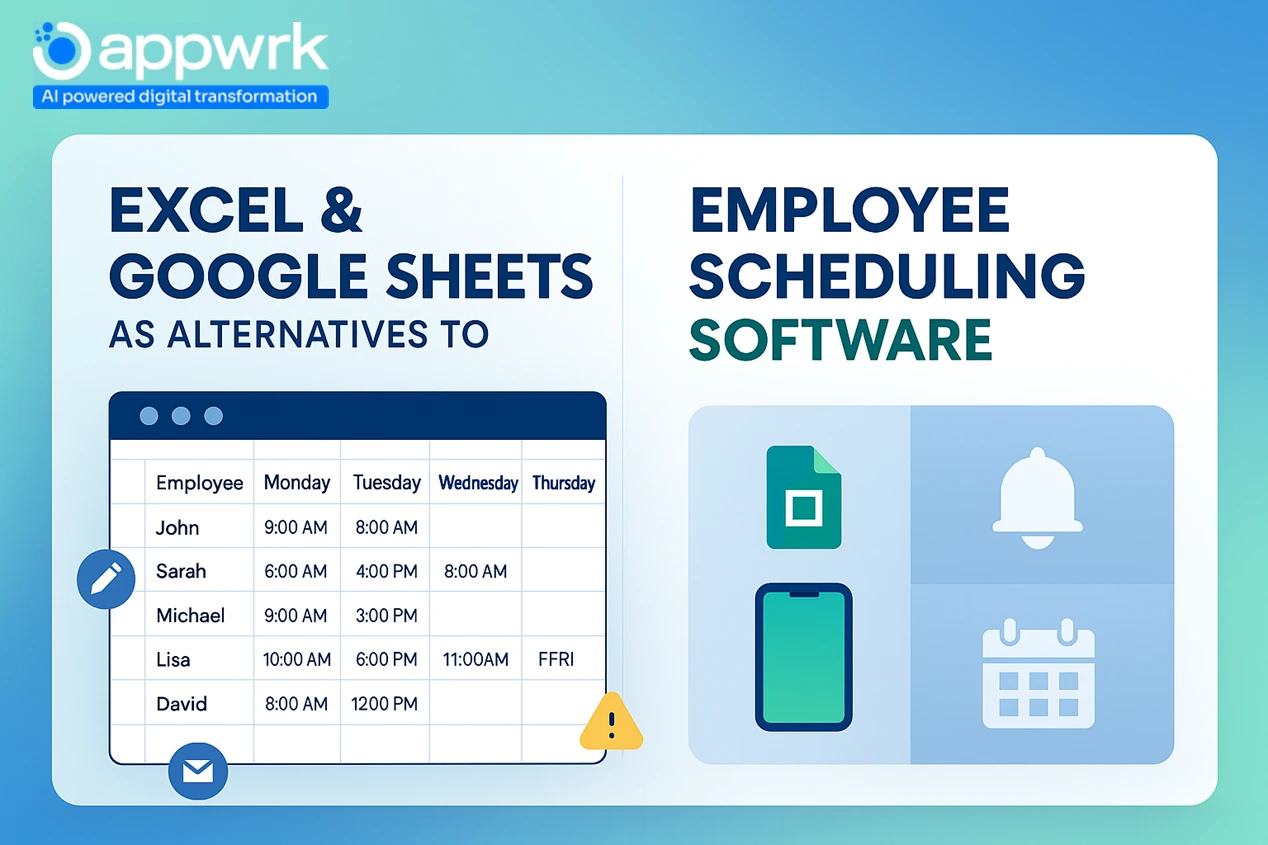
Can You Still Use Excel or Google Sheets for Scheduling?
Many small offices still use Excel or Google Sheets as a basic employee schedule maker free tool.
Pros:
Familiar, free, and quick for very small teams
Easy to share via CSV or email
Cons:
No alerts, time off management, or availability rules
High risk of broken compliance with labour laws and overlapping shifts
This approach works for 3–5 people but quickly becomes inefficient as soon as requests, customer demand, or payroll complexity increase.
What Is Rostering Software and How Is It Different?
Rostering software is a simpler form of shift scheduler or employee work schedule software, usually built around static shift templates.
Definition: Fixed weekly schedules, often with no payroll integrations or automation. When it’s useful: Teams with predictable shifts, low turnover, and little demand forecasting.
Older tools like Workschedule or MS Project once played this role, but they lack in-app chat, automated conflict detection, and compliance features found in modern systems.
When Does It Make Sense Not to Use Any Scheduling Tool?
Solo freelancers manage their own time.
Teams under 3–5 employees with static schedules
Businesses are not concerned with compliance or overtime tracking.
For everyone else, skipping scheduling software creates inefficiencies, missed shifts, and poor transparency.
Why Most Teams Still Upgrade to Scheduling Apps
Companies eventually adopt employee scheduling software online because it enables:
Scalability – Handle larger teams and job scheduling with ease
Labour budget control – Prevent costly overtime and track employee absences
Flexibility – Support flexible shift swapping, open shift self-assigning, and PTO workflows
Transparency – Boost satisfaction with internal chat and conflict-free schedules
Modern tools like Connecteam, Deputy, or Sling integrate payroll and HR systems (Gusto, QuickBooks), automate scheduling with auto-scheduling, and deliver better ROI than Excel or static rostering ever could.
How Appwrk Can Help in Employee Scheduling Software Development
At Appwrk, we don’t just review tools; we build custom, scalable employee scheduling software pricing solutions that fit your industry.
Our experience with scheduling systems
We’ve delivered construction employee scheduling software, hospitality employee scheduling software, and healthcare-ready platforms with compliance with labour laws, insurance verification, and automated payroll reporting.
Why businesses trust us
Proven track record across employee work schedule software for hospitals, universities, and retail
Support for advanced needs like managing certifications or licenses, PTO automation, and compliance tracking
Modular builds: from employee names in drag-and-drop schedules to AI-optimised forecasting and predictive analytics
If you’re ready to move beyond spreadsheets or basic employee scheduling software, free Excel templates, or our experts can help. Whether you need a SaaS product, an open source employee scheduling software adaptation, or a robust internal shift scheduler, Appwrk provides clarity, speed, and cost efficiency.
Explore our 30-day trial models or connect with us for a tailored demo, and discover how smarter scheduling can transform your workforce.
FAQs
1. What is the best software for employee scheduling? The best employee scheduling software includes options like HotSchedules, Deputy, Connecteam, and Homebase. These staff scheduling programs help with shift planning, time-off requests, and real-time updates.
2. What is the best job scheduler? The best job scheduler software depends on your needs. Enterprise job scheduling tools like Shiftboard and QuickBooks Time automate workforce scheduling, payroll sync, and compliance.
3. Does Microsoft have a staff scheduling tool? Yes, Microsoft offers Microsoft Shifts in Microsoft Teams. It is a staff scheduling app designed for shift planning, time tracking, and team communication.
4. What is the best production scheduling software? The best production scheduling software includes TIMIFY, Shiftboard, and Zoho Shifts. These tools optimize staff schedules, track employee hours, and improve efficiency in manufacturing and logistics.
5. How much does it cost to build employee scheduling software? The cost to develop employee scheduling software starts at $18,000 for a basic MVP. Mid-tier apps range from $25,000–$70,000, while enterprise scheduling software can go up to $100,000. Read more to know the actual costs of Appwrk.
6. What features should employee scheduling software have? Key features include shift planning, time-off requests, real-time notifications, payroll integration, mobile staff apps, and compliance tracking with labor laws.
7. Which industries use employee scheduling software? Industries like restaurants, healthcare, retail, hospitality, and logistics use employee scheduling software to manage shifts, reduce labor costs, and improve employee satisfaction.
8. Is there any free employee scheduling software? Yes, free employee schedule apps like Homebase, Zoho Shifts, and ABC Roster offer basic features such as shift scheduling and team notifications. Advanced features may require paid plans.
9. What is the ROI of employee scheduling software? Employee scheduling software improves ROI by cutting labor costs by 10–20%, reducing scheduling time by 30%, and improving employee retention through better shift management.
10. How to choose the right employee scheduling software? Choose software based on your team size, budget, and industry needs. Look for core features like shift planning, payroll integration, mobile access, and AI-based auto-scheduling.
Gourav Khanna is the Co-founder and CEO of APPWRK, leading the company’s vision to deliver AI-first, scalable digital solutions for enterprises and high-growth startups. With over 16 years of leadership in technology, he is known for driving digital transformation strategies that connect business ambition with outcome-focused execution across healthcare, retail, logistics, and enterprise operations.
Recognized as a strategic industry voice, Gourav brings deep expertise in product strategy, AI adoption, and platform engineering. Through his insights, he helps decision-makers prioritize market traction, operational efficiency, and long-term ROI while building resilient, user-centric digital systems.
Subscribe to APPWRK Blogs, We'll Do the Rest!
Get Blogs on UI/UX, Mobile Apps, Online Marketing, and Web development technology.
Unlock worthy and priceless suggestions from the masters of mobile and web app development