150+ minds across 4 countries. Join a culture of innovation, ownership & growth.
Rewire for AI
From machine learning to deep learning, from classification tools to overall process automation – our AI engineers will help you retool your existing system or enhance your company results.
Ship faster, scale smarter, built for product companies and SaaS teams
Our Latest Work
We strive hard to deliver result-driven digital solutions across the globe. Check out our case studies to get a glimpse of how we ideate, innovate, and create unconventional digital solutions according to the requirements of our clients.
Discover diverse and passionate insights from our tech enthusiasts. We collaborate across various sectors to streamline operations and drive innovation. Explore our rapidly growing collection of articles to see why we’re at the forefront of IT solutions.
The decision to move from Magento to Shopify is one of the most significant replatforming choices an ecommerce business can make. Magento is powerful, but its power comes with...
Accuracy gap is real: Traditional CPG forecasting carries a 25-40% MAPE error rate. AI-powered models bring that down to 8-15%, according to McKinsey research....
Real stories from global leaders who trusted us with their ideas.
Partnering with APPWRK helped us build a compliant and scalable healthcare platform, accelerating our time-to-market by 35%. Their team consistently delivered outstanding work.
Beesers
Digital Healthcare Client
Collaborating with APPWRK, Sportskeeda modernized its platform into a real-time sports engagement ecosystem, enabling seamless content delivery, scalable fan interactions, and high-velocity performance.
Sportskeeda
Sports & Entertainment Partner
Working with APPWRK was effortless. They captured our vision, maintained full compliance, and delivered a digital experience that built trust and elevated how customers interact with our fintech brand.
PayPenny
Fintech Partner
Working with APPWRK gave us confidence in adopting AI responsibly. Their team built a safe, intelligent bot that transformed how we engage with leads and helped us achieve measurable revenue growth.
IFB
AI Transformation Partner
Leveraging APPWRK’s digital expertise, Nemesis launched a scalable, compliant, and safe super app that connects content delivery, real-time communication, and logistics management within a single platform.
The cost to build a Content Management System (CMS) starts around $5,000 for a basic MVP and typically falls between $12,000 and $40,000 for small to mid-sized builds. Even enterprise CMS cost models rarely cross $80,000 when developed with the right partner.
Costs can be optimized through offshore IT companies, modular architecture, and phased rollouts, making custom CMS development more affordable and accessible to startups, SMBs, and enterprises.
Core features such as content creation, publishing, analytics, Content Management Systems integrations, and security can be achieved within a lean budget. Advanced modules like AI-driven personalization, multilingual CMS support, AR/VR experiences, and compliance automation add incremental costs.
Businesses should plan for hidden costs like premium plugins, CMS migration costs, hosting upgrades, training, SSL certificate renewals, and licensing. With early planning, scalable design, and the use of open-source frameworks like WordPress CMS development, these expenses can be minimized.
By working with an experienced partner, companies can reduce the CMS total cost of ownership (TCO) by 30 to 40%. Proven methods like reusable components, agile and DevOps practices, API integrations, and efficient support models help control expenses.
The global CMS market is expanding rapidly. From Drupal development cost to Webflow pricing and Adobe Experience Manager pricing, businesses now have more CMS pricing 2025 options than ever. Investing in the right solution ensures faster content delivery, stronger online presence, improved digital workflows, and higher long-term CMS ROI.
This blog is written for CTOs, product managers, startup founders, and financial leaders who want a clear CMS cost breakdown, covering feature trade-offs, hidden expenses, CMS maintenance costs, and smart optimization strategies to ensure project success.
Why Are Businesses Investing in CMS Development in 2025 and Beyond?
Content is no longer just a marketing tool; it has become the backbone of digital transformation. Organizations across industries are investing in CMS development because traditional website builders cannot keep up with the demands of scale, personalization, SEO optimization, and cross-channel integration.
The global content management system market was valued at USD 30.91 billion in 2025 and is expected to grow to USD 45.71 billion by 2030, registering a CAGR of 8.14%. This growth is fueled by the rise of headless CMS platforms, AI-driven personalization, and the need for omnichannel delivery where a single piece of content must adapt seamlessly across web, mobile, and connected devices.
For businesses, investing in CMS software is directly tied to customer experience and operational efficiency. A well-structured CMS shortens campaign time-to-market, reduces manual overhead through workflow optimization, and enables personalized engagement that improves conversions. On the other hand, operating without a scalable CMS leads to fragmented silos, higher costs, and slower response to market opportunities.
As Satya Nadella put it, every business today is, at its core, a digital business. In this context, CMS development isn’t optional; it’s a strategic necessity for enterprises, startups, and SMBs aiming to compete in markets where content fuels both growth and customer trust.
What Is a Content Management System (CMS) and Why Do Businesses Need It?
A Content Management System (CMS) is software that helps businesses create, manage, and deliver digital content without requiring deep technical expertise. At its simplest, it enables teams to publish blogs or update website pages. At its most advanced, a CMS powers entire e-commerce development ecosystems, enterprise portals, and omnichannel marketing campaigns, becoming the backbone of digital operations.
There are different types of CMS platforms available, each serving distinct business needs:
Open-source CMS solutions such as WordPress, Joomla, and Drupal offer flexibility and cost savings but often need additional custom CMS development for advanced functionality. Many businesses also integrate WooCommerce development or third-party tools to expand their online stores.
Proprietary or enterprise CMS platforms like Adobe Experience Manager and Sitecore are built for large organizations that require enterprise-grade security, scalability, and integrations. These often come with specialized features that demand experienced Magento Certified Developers or platform-specific consultants.
Cloud-based CMS tools such as Webflow, Wix, and Squarespace provide convenience and speed for businesses that prioritize time-to-market, with simpler web design interfaces for rapid setup.
Headless CMS platforms like Contentful, Strapi, and Sanity are increasingly popular among businesses that want to decouple content from presentation and deliver experiences seamlessly across web, mobile, and IoT development devices.
Custom CMS development is the go-to for organizations with unique requirements where off-the-shelf tools fall short. Here, businesses benefit from full control over integrations, advanced analytics, and scalability while ensuring consistent content management systems.
The reason businesses invest in CMS software is not just for content publishing; it’s to streamline workflows, reduce costs, and improve customer experience. A strong CMS centralizes digital assets, removes silos, and provides real-time analytics for smarter decision-making. Without one, companies often face fragmented systems, weak security, and inconsistent brand messaging.
In today’s digital economy, where engagement drives success, a CMS is no longer just a backend tool; it’s a growth enabler. Whether for startups building their first online presence or enterprises managing global content delivery, CMS development ensures efficiency, personalization, and long-term ROI. When combined with graphic design, SEO strategies, and marketing automation, it transforms into a complete foundation for sustainable digital growth.
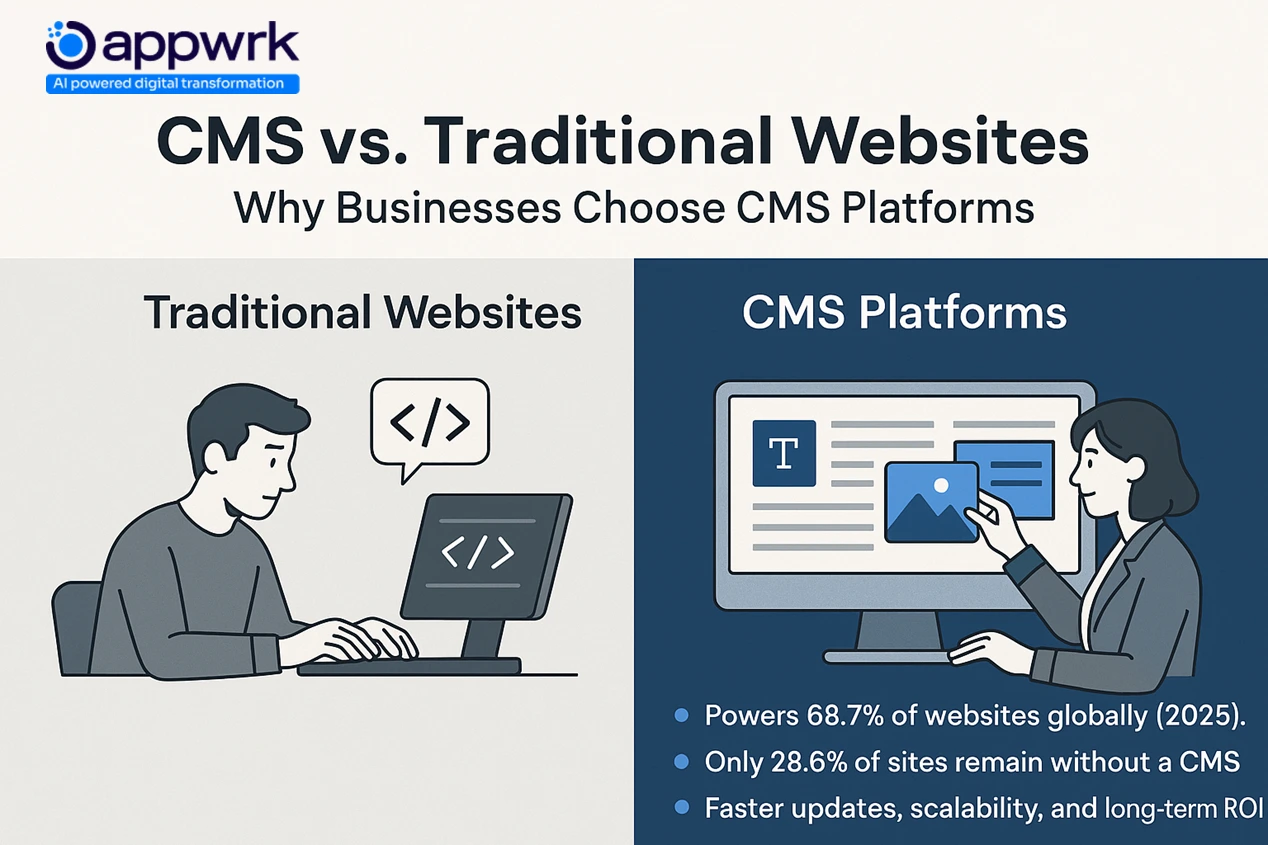
CMS vs. Traditional Websites: Why Businesses Choose CMS Platforms
A Content Management System (CMS) makes website creation and management far more efficient compared to traditional static websites. Where custom-coded websites require developers for even small updates, a CMS allows teams to publish, edit, and manage content through an easy-to-use dashboard. The result: lower development costs, faster updates, scalability, and stronger long-term ROI.
Additional Insights
Market Dominance: Today, more than 68% of websites globally run on a CMS, a huge jump from just a decade ago when 76% of websites were still fully hand-coded. This shift shows how CMS platforms have become the default for modern website development.
Simplified Website Creation with a Content Management System (CMS)
One of the greatest advantages of a CMS is simplified website creation. With ready-made templates, drag-and-drop editors, and theme customization, businesses can get online faster without heavy developer involvement. For startups and SMBs, this means building a professional, mobile-friendly website at a fraction of the cost of traditional builds.
Instead of spending weeks coding, a CMS reduces time-to-market, lowers overhead, and provides built-in tools for SEO, analytics, and integrations. In short, it levels the playing field by letting small businesses compete with enterprise websites in terms of functionality and user experience.
How Much Does It Cost to Build a Content Management System?
The cost to build a CMS starts as low as $5,000 for a basic MVP. For small to mid-sized businesses, CMS development usually ranges between $12,000 and $40,000, depending on features, hosting, integrations, and customization. Even advanced enterprise-grade CMS platforms rarely exceed $80,000 when developed with modular architecture and efficient delivery practices.
Unlike common assumptions, CMS software development doesn’t have to be prohibitively expensive. By leveraging open-source platforms like WordPress development, phased rollouts, and reusable components, businesses can cut costs significantly while still ensuring quality assurance, scalability, and high performance.
Budget-Friendly CMS Options ($5,000 to $15,000): Best suited for startups or early-stage businesses with lean needs. These usually leverage open-source platforms such as WordPress or Drupal. Agencies focus on basic content publishing, simple workflows, and Store Development Services that establish an initial online presence without overspending.
Mid-Range CMS ($15,000 to $40,000): Ideal for growing businesses that need more advanced Content Management features like analytics, workflow automation, or scalable architecture. This range often involves custom software development, API integrations, and stronger security layers to support traffic growth.
Enterprise CMS ($40,000 to $80,000): Tailored for large organizations with strict compliance needs, complex content structures, or multi-site CMS. Enterprise CMS projects include high-level security protocols, multilingual Content Management Systems, advanced integration with CRMs/ERPs, and custom modules designed for global operations.
The real cost of CMS development depends on three major factors: the type of platform, the region of development, and the complexity of business requirements. With the right partner, businesses can start small at $5,000 and scale gradually without overspending, ensuring better CMS ROI compared to overpriced, off-the-shelf systems.
What Business and Technical Factors Affect CMS Development Cost?
The cost of developing a CMS is never a single fixed figure. It’s shaped by a combination of business priorities and technical requirements. Understanding these drivers early helps businesses avoid scope creep, manage budgets, and plan for scalability.
Number of Sites and Users
The more websites and user accounts your CMS supports, the higher the cost. A single-site CMS with limited roles is budget-friendly, while a multi-site, multi-user CMS with advanced permissions needs deeper development and higher infrastructure investment.
Bandwidth, Monthly Traffic, and Storage
Higher bandwidth is required as content volume increases.
Traffic spikes demand robust hosting to maintain performance.
Storage expands with video libraries, images, and PDFs.
These directly influence hosting expenses and scalability planning.
Custom Domain Names
While one domain is affordable, multi-site CMS setups often need multiple domains or subdomains. These recurring fees, though small individually, add up for enterprises.
Security and Compliance
Compliance with standards like GDPR, HIPAA, or SOC2 increases development costs. Essential features, data encryption, audit logs, and multi-factor authentication require advanced coding and ongoing updates.
Hosting and Domain Name Fees
Managed hosting reduces IT burden but costs more. Self-hosted options are cheaper upfront but require IT professionals or specialists for maintenance.
Licensing vs Open-Source CMS Cost Models
Open-source CMS platforms (like WordPress or Joomla) are free but require customization, often with freelance services or agencies offering WordPress Development and WooCommerce development.
Licensed CMS platforms add recurring licensing fees but deliver enterprise-grade stability, security, and support.
API and Locale Costs
Integrating with CRMs, ERPs, or marketing automation tools often involves paid APIs. Adding multiple locales for global rollouts increases both translation and integration costs.
Developer Costs and Team Composition
Hiring offshore developers in Asia is more cost-effective, while agencies in North America or Europe cost significantly more. Large-scale builds often require full-stack development teams that include project managers, designers, and backend specialists (Python, Laravel, or .NET developers).
Integration Capabilities and Customization
From e-commerce development integrations to analytics dashboards, customization always raises the budget. The deeper the integration, the higher the cost.
Maintenance, Upgrades, and Support
CMS costs don’t end at launch. Businesses must account for:
Routine security patches
System upgrades and version updates
SLA-driven support contracts and uptime monitoring
These ensure long-term performance and reduce downtime.
CMS Migration Costs if Switching CMS
Switching from one CMS to another comes with hidden expenses. Data migration, plugin replacements, retraining staff, and SEO preservation can add thousands of dollars, depending on existing system complexity.
CMS Development Cost Factors
CMS Development Cost Factor
Impact on the Budget of Developing the CMS
Cost Range
Number of sites & users
More sites/users = higher cost
$1,000 to $5,000+
Bandwidth, traffic, storage
Hosting and performance scaling
$500 to $3,000 annually
Custom domain names
Per-domain recurring fees
$10 to $200 per domain
Security & compliance
Regulatory readiness & protection
$1,000 to $10,000+
Hosting & domain fees
Managed vs self-hosted CMS
$50 to $500 per month
Licensing vs open-source
License costs vs customization costs
Free to $20,000 annually
API & locale costs
Integration and multi-language support
$500 to $5,000+
Developer costs & team
Regional labor differences
$25 to $120 per hour
Integration & customization
Third-party system complexity
$2,000 to $15,000+
CMS maintenance cost
& upgrades
Ongoing costs post-launch
$1,000 to $8,000 annually
Migration costs
Switching CMS platforms
$1,000 to $10,000+
The true cost of CMS development goes far beyond the initial build. Factors like number of users, traffic volumes, hosting, licensing, API usage, security requirements, and long-term maintenance all compound over time. By mapping these elements in advance, businesses can set realistic budgets and avoid surprise expenses.
How Do Features Influence the Cost of CMS Development?
The features included in your Content Management System (CMS) are the single biggest driver of cost. A lean CMS with just publishing basics might cost as little as $5,000, while enterprise-ready systems with advanced integrations, automation, and compliance layers can climb as high as $80,000. The real difference lies in how many features you include and the complexity of implementing them.
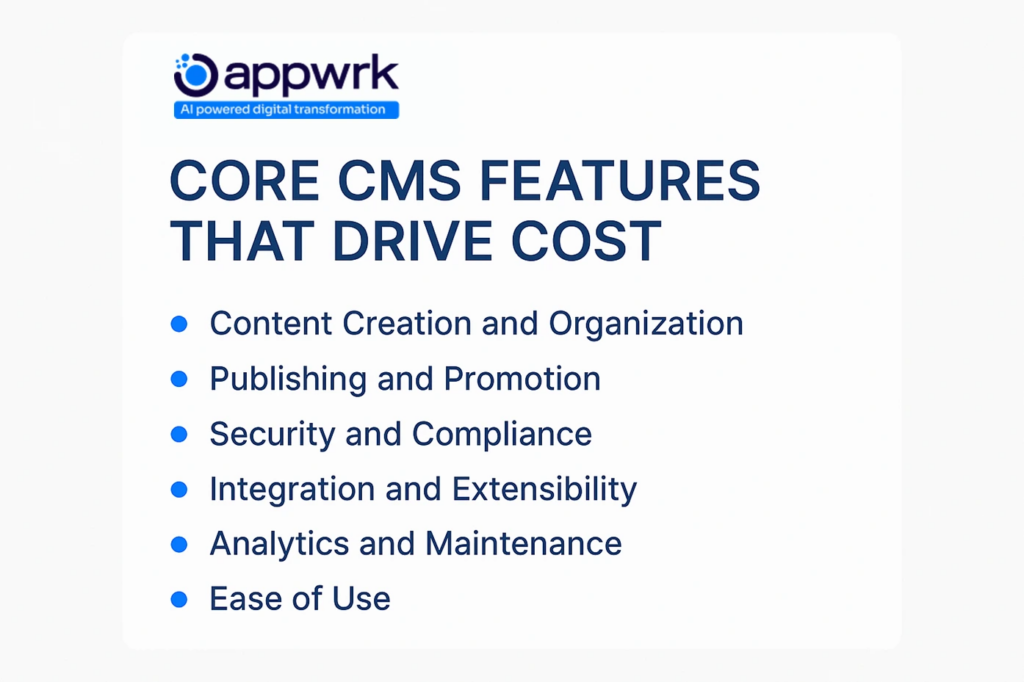
Core CMS Features That Drive Cost
Content Creation and Organization – Tools for drafting, editing, and managing text, media, and documents efficiently.
Publishing and Promotion – Scheduling posts, approval workflows, and multi-channel publishing.
Security and Compliance – Role-based permissions, encryption, GDPR/HIPAA/SOC2 compliance.
Integration and Extensibility – API-first design that connects your CMS with CRMs, ERPs, analytics, or even e-commerce development platforms.
Analytics and Maintenance – Dashboards for monitoring engagement, site performance, and traffic insights.
Ease of Use – A user-friendly interface that minimizes training costs and increases adoption across teams.
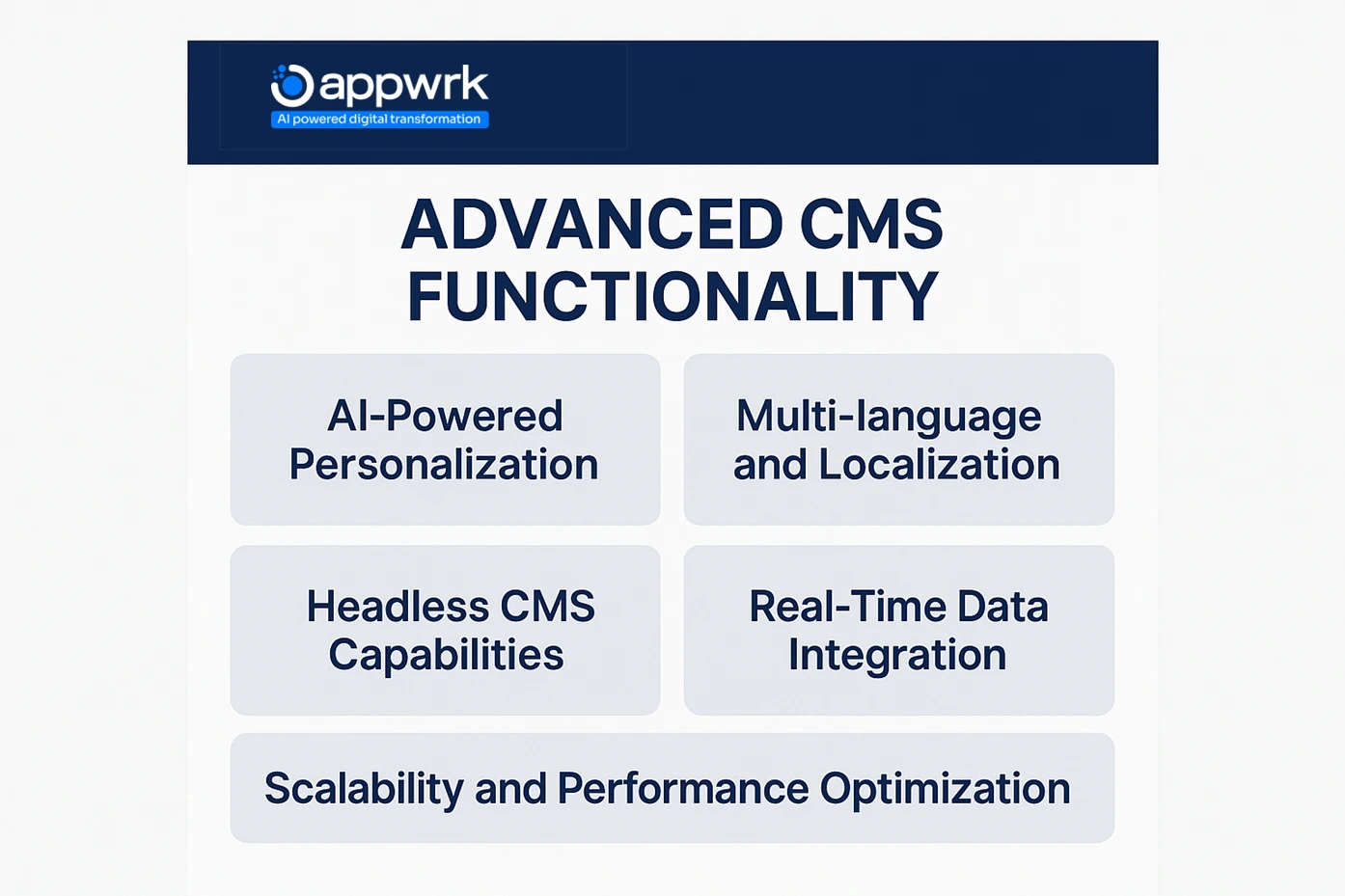
Advanced CMS Functionality
AI-Powered Personalization – Tailored recommendations based on behavior and browsing history.
Multi-language and Localization – Supporting global markets with locale-specific content delivery.
Headless CMS Capabilities – Decoupling backend content from frontend presentation for omnichannel delivery (web, mobile, and IoT devices).
Real-Time Data Integration – Pulling live business data into content workflows for smarter decisions.
Scalability and Performance Optimization – Designing architecture that can withstand high traffic without slowing down.
Additional CMS Features That Add to Costs
Industry benchmarks (Upwork, Rankon, Feather) highlight that businesses often request the following add-ons, each of which increases budget:
Custom Domain Names – Branded domains and multiple subdomains for different sites.
Email Functionality – Built-in newsletters or transactional mail systems, often tied to email marketing campaigns.
Customer Support Modules – Ticketing systems, live chat, or chatbot integrations for stronger Customer Service.
Business Productivity Features – Workflow automation, project management, or task-tracking within the CMS.
Advanced CMS Capabilities – Content versioning, digital asset management, and multi-step approvals.
Subscription Plans and Memberships – Paid content access or gated membership functionality.
Live Chat Functionality – Real-time engagement with customers or prospects.
Payment Gateway Integration – Seamless connections with Stripe, PayPal, or region-specific providers.
Online Appointment Scheduling – Booking tools for service-led businesses.
Custom Forms (Lead Gen, Surveys, Contact) – Dynamic builders for marketing and data capture.
Blog or News Section – Built-in publishing for regular updates, SEO, and content marketing.
Cost Impact of Features
Feature Category
Examples
Cost Impact
Core Features
Content creation, publishing, analytics
$2,000 to $10,000
Advanced Features
AI personalization, headless CMS, and real-time data
$5,000 to $20,000
Add-On Features
Payment gateway, chat, forms, email
$1,000 to $8,000
Compliance & Security
GDPR, HIPAA, SOC2, encryption
$2,000 to $15,000
Integrations
CRM, ERP, marketing automation
$3,000 to $12,000
The more complex features your CMS requires, the higher the development cost. Businesses can manage budgets by first prioritizing essential modules, like publishing, security, and integrations, and then phasing in advanced features such as AI-driven personalization, multilingual CMS support, and real-time analytics. This staged approach keeps costs under control while ensuring the CMS is scalable for long-term growth.
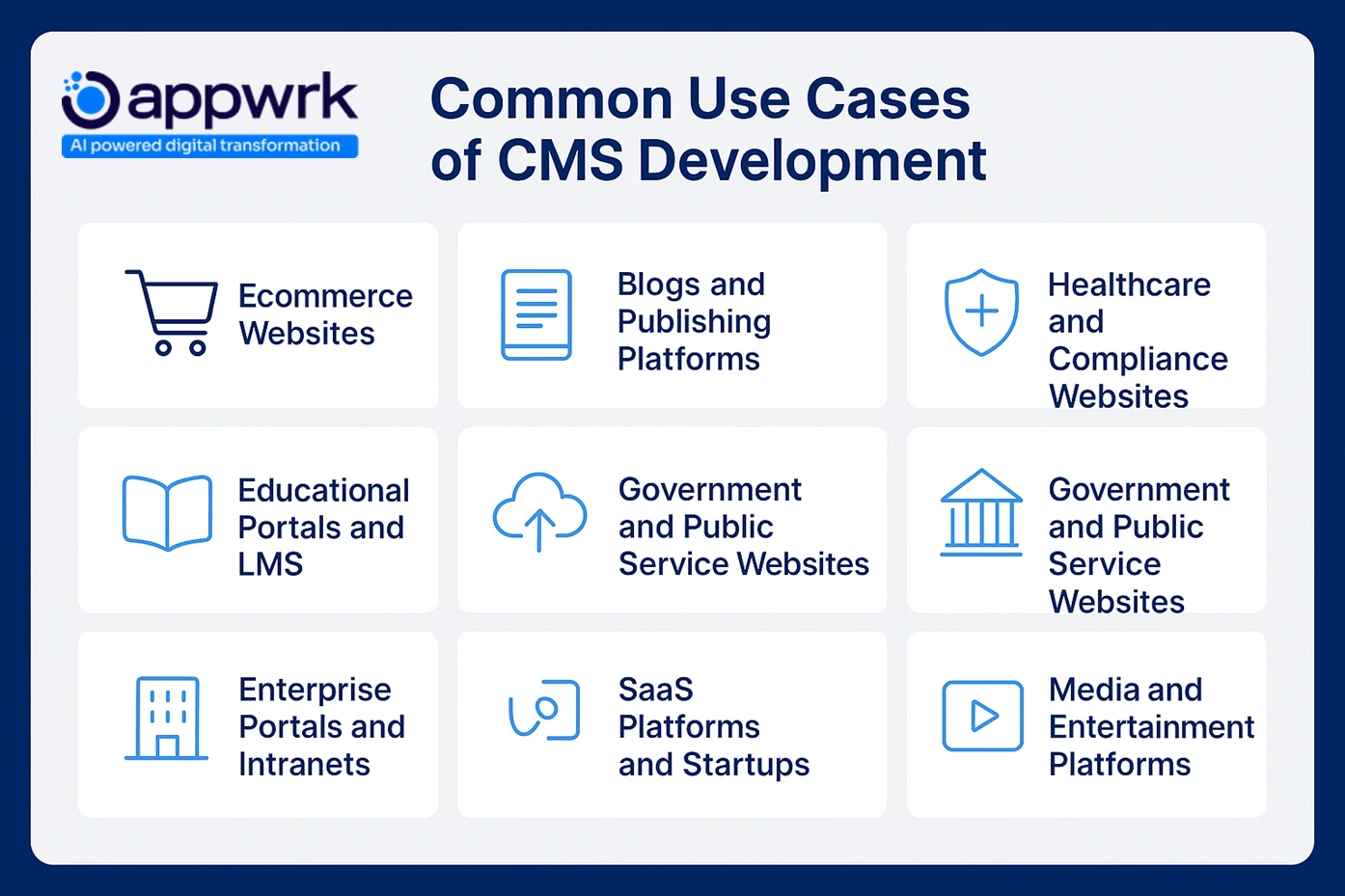
What Use Cases Drive CMS Development Across Industries?
A Content Management System (CMS) is no longer just a publishing tool. Today’s platforms are versatile, adapting to the needs of startups, SMBs, and enterprises across industries. Each sector uses CMS solutions differently, and these use cases directly shape the cost, features, and integrations required.
E-commerce Stores
Retailers and D2C brands depend on CMS platforms to manage product catalogs, run promotions, and ensure a consistent online shopping experience. Successful e-commerce development requires integrations with payment gateways, inventory systems, checkout upgrades, and personalization engines.
Mini Appwrk Case Study: Appwrk partnered with a mid-sized fashion retailer to build a custom CMS integrated with Shopify. The solution enabled real-time inventory sync and AI-driven product recommendations. As a result, the retailer reduced cart abandonment by 18% and improved publishing speed by 40%.
Media and Publishing Platforms
Digital publishers use Content Management Systems to manage multi-author workflows, editorial calendars, and monetization via ads or Subscription-Based Services. Features like role-based permissions, content scheduling, and analytics dashboards give publishers better visibility and control.
SaaS and Tech Companies
SaaS providers and IT companies rely on CMS platforms to deliver knowledge bases, product documentation hubs, and customer onboarding portals. This reduces support requests and improves Customer Service. Many SaaS brands also integrate CMS systems with Digital Marketing and performance marketing campaigns for user retention.
Mini Appwrk Case Study: A B2B SaaS startup worked with Appwrk to design a lightweight headless CMS for managing documentation across web and Mobile Applications. The system reduced update time by 60% and improved customer trust, reflected in higher satisfaction scores.
Education and E-Learning Platforms
Universities, schools, and e-learning providers adopt CMS solutions to publish courses, manage student portals, and deliver mobile-friendly learning experiences. Advanced integrations often include assessments, secure Content Management, and support for multiple languages.
Healthcare and Regulated Industries
Hospitals, clinics, and science research institutes require CMS systems with strict compliance features like HIPAA, GDPR, and SOC2. These solutions emphasize security, audit trails, and regulatory reporting, ensuring sensitive data is managed safely.
Enterprises with Complex Workflows
Large organizations use CMS development to run multi-site content systems, cross-department portals, and enterprise-level Content Management Systems. Features such as workflow automation, role-based access, and CRM/ERP integrations are common.
Startups and SMBs
Startups typically favor budget-friendly CMS builds powered by open-source tools like WordPress or WooCommerce development. Their focus is on speed-to-market and scalability while keeping costs lean.
Government and Public Sector
Government agencies and departments need CMS systems for citizen portals, service websites, and multi-language accessibility. Compliance with accessibility standards (ADA, WCAG) and public trust in digital infrastructure are critical success factors.
Nonprofits and NGOs
Nonprofits use CMS platforms to run donor portals, fundraising campaigns, and volunteer management sites. These builds prioritize cost efficiency, payment integrations, and sustainability.
Enterprise E-commerce & Marketplaces
Marketplaces and manufacturers/exporters require CMS development with vendor dashboards, advanced product descriptions, Custom Product Filtering, and analytics. These multi-vendor setups often use hybrid CMS and custom integrations for scalable growth.
Corporate Intranets and Employee Portals
Internal CMS platforms support HR workflows, employee engagement, and internal communication. Companies often integrate with tools for project details, Content Management, and Social Media management to strengthen collaboration.
Use Case vs Features vs Cost
Industry Use Case
Key Features
Cost Impact
E-commerce stores
Product catalogs, payment gateways, and personalization
CMS development is highly industry-specific. E-commerce platforms need advanced payment and personalization, while healthcare providers focus on compliance, and SaaS companies demand knowledge bases. Businesses must identify their use case clearly, as it directly shapes feature sets, integration requirements, and overall cost.
How Can You Build an E-commerce CMS Under $15K? Learn From Appwrk’s ShopBazar Case Study
Even with a lean budget, you can launch a fully functional e-commerce CMS that scales with demand. Here’s how Appwrk helped ShopBazar build a dynamic, user-ready platform within budget.
1. Context and Challenge: Creating an E-commerce CMS on a Tight Budget
ShopBazar, a fast-growing retail startup, wanted to launch an online store that supported multiple product categories, secure payments, and easy content updates. With a budget of under $15,000, they needed a CMS-driven ecommerce solution that delivered both speed and scalability.
2. Appwrk’s Strategic Solution: Lean, CMS-Powered Ecommerce Development
Appwrk designed and implemented a custom e-commerce CMS that focused on essential, high-impact features:
Dynamic Product Catalogs – Easy to manage, scalable inventory system.
Integrated Payment Gateways – Secure transactions with multiple options.
Customizable Themes – Flexible templates for brand identity.
Admin-Friendly CMS – Non-technical staff could update content easily.
Advanced Search & Filters – Customers could quickly find products.
Mobile-First Design – Seamless shopping experience across devices.
Discounts and Promotions Module – Built-in offers and coupon management.
CMS-Based Backend – Enabled real-time content updates without developer dependency.
4. Results: Scalable E-commerce CMS Delivered Within Budget
Delivered in 10 weeks, under $15,000.
ShopBazar achieved a 40% increase in customer engagement within the first month.
The CMS structure allowed quick addition of new categories and features like loyalty programs without rebuilding the platform.
5. Strategic Relevance for Founders and Retail Businesses
This case shows how Appwrk enables e-commerce startups to launch scalable CMS-driven solutions without overspending. A phased CMS approach ensures you start lean, validate your model, and expand as sales grow — avoiding the pitfalls of rigid, traditional website setups.
The cost of building a Content Management System (CMS) isn’t defined by features alone. The CMS pricing model you choose plays a huge role in the total cost of ownership (TCO). Different businesses, startups, SMBs, and enterprises lean toward different models depending on their budget, scalability goals, and ownership needs. Here are the most common CMS cost breakdown approaches:
One-Time Licensing Fees
Some enterprise CMS platforms work on a one-time licensing model. Businesses make a large upfront payment to access the software indefinitely. While this may sound like a fixed-cost option, you’ll still need to budget for CMS maintenance costs, upgrades, and feature extensions. For industries requiring custom CMS development, advanced content management system development, or store development services, these recurring add-ons can be significant. This also applies to proprietary leaders like Adobe Experience Manager pricing (AEM) and Sitecore pricing, where AEM implementation cost or enterprise SLAs add to the bill.
Subscription-Based Pricing
This is the most popular model among cloud CMS and headless CMS providers. Businesses pay monthly or yearly subscription fees that cover hosting, updates, and limited support. While predictable, these costs add up as your business scales. For example, SaaS firms, e-learning providers, or digital marketing teams running content-heavy portals often move into higher pricing tiers quickly. Providers like Contentful pricing, Webflow pricing, Sanity pricing, Wix cost, and Squarespace cost fall into this bracket.
Usage-Based Pricing
A growing trend in CMS pricing in 2025 is usage-based billing. Pricing is tied to the number of users, published content, storage volume, or even REST API integration and GraphQL API calls consumed. This works well for startups or smaller teams, but heavy publishing industries (like media or ecommerce) can see costs escalate sharply. IT companies and CMS migration specialists often recommend carefully monitoring usage patterns before committing.
Freemium vs Premium CMS Options
Some open-source CMS development vendors offer a freemium model, giving free access to a basic version. But advanced features such as custom domain setup, analytics dashboards, or WordPress CMS development integrations are locked behind premium upgrades. While appealing to startups, this model can become costly as businesses require enterprise-level SEO services, mobile app development, or multilingual CMS support.
Open-Source vs Proprietary CMS
Open-source CMS (like WordPress, Joomla, Drupal, or WooCommerce on WordPress) is free to download but requires development effort for customization, role-based access control, editorial workflows, digital asset management integration, and ongoing security hardening. They’re a strong fit for SMBs and nonprofits focused on affordability.
Proprietary CMS (like Adobe Experience Manager or Sitecore) comes with licensing fees but provides enterprise-grade scalability, dedicated support, HIPAA-compliant CMS options, and built-in WCAG 2.2 compliance and ADA compliance. They’re better suited for organizations that prioritize security, AI-driven content recommendations, and global scaling.
Enterprise Packages and SLA Costs
For large organizations, CMS implementation cost often includes enterprise packages tied to Service-Level Agreements (SLAs). These contracts guarantee uptime, dedicated support, compliance, and performance monitoring. They significantly raise costs, but provide peace of mind for enterprises, IT project managers, and regulated industries where reliability builds long-term trust.
10 Common Content Management Systems and Their Prices
Once you understand the different pricing models, it’s useful to explore the actual CMS platforms businesses rely on today. Each comes with its own cost structure, features, and adoption rate. According to industry reports, as of early 2025, more than 73 million websites are powered by a CMS, with WordPress alone capturing over 60% of the global CMS market share.
Here are the 10 most widely used CMS platforms and what they typically cost:
WordPress
Free and open-source, WordPress dominates the CMS ecosystem, powering over 40% of all websites worldwide. With a massive plugin library (58,000+), it offers unmatched flexibility for blogs, e-commerce development, or enterprise sites. While the platform itself is free, you’ll need to budget for hosting, a domain, premium plugins, and possibly a developer for advanced Store Development Services or custom Web Design.
Wix
Starting at under $50 per month, Wix is popular among small-to-medium businesses and D2C brands. It includes hosting, a free domain, drag-and-drop editing, and mobile-friendly layouts. It’s an all-in-one platform often chosen by businesses launching quickly without heavy technical resources.
Squarespace
With plans starting below $55 per month, Squarespace appeals to creative professionals, freelancers, and small businesses who want visually polished websites without coding. Hosting and a free domain are included, along with sleek templates and integrated marketing tools. Today, it is trusted by more than 3 million subscribers worldwide.
Drupal
Favored by governments, universities, and large enterprises, Drupal is known for its security, flexibility, and scalability. The platform itself is free, but it requires skilled developers to configure and manage. It’s often used for complex projects with high traffic, multilingual content, or strict compliance needs.
Joomla
Another free open-source CMS, Joomla, supports everything from blogs to ad-driven portals and corporate websites. Like Drupal, it often requires development support for setup, customization, and integrations. Businesses that value flexibility at low upfront cost often consider Joomla.
Shopify
Shopify is one of the most popular e-commerce CMS platforms, powering more than 1 million online stores globally. With plans starting at $29 per month, it includes storefront templates, hosting, and point-of-sale (POS) integrations. It’s ideal for businesses focused on one-commerce development and scaling their online presence.
GoDaddy
Best known as a domain registrar, GoDaddy also offers an easy-to-use CMS bundled with hosting. Plans start at $9.99 per month, providing templates, ecommerce functionality, and Store Development Services for beginners who want a quick setup without much complexity.
Weebly
Owned by Square, Weebly offers a free version on a subdomain and paid plans starting at just $6 per month. With drag-and-drop tools, ecommerce modules, and integration with Square payments, it’s a strong choice for startups and small businesses taking their first steps online.
Blogger
Launched more than 20 years ago and still active under Google, Blogger remains one of the simplest ways to start a blog. It’s free to use with a Blogspot subdomain, though businesses can purchase custom domains for branding. While limited in advanced features, it works well for basic publishing.
Adobe Experience Manager (AEM)
AEM is a premium enterprise-grade CMS used by some of the world’s largest organizations. Pricing is not public but sits firmly in the enterprise range. It offers advanced digital asset management, personalization, scalability, and integrations designed for regulated industries and global enterprises.
What Hidden Costs Should You Consider in CMS Development?
The sticker price of a CMS, whether a license or subscription, is just the starting point. Over time, hidden expenses can quietly push budgets higher if not planned. Here are the most common hidden costs to anticipate:
Premium Plugins and Add-Ons
Most CMS platforms come with basic features, but real-world use often demands premium plugins, Graphic design templates, SEO extensions, or e-commerce modules. For example, retailers may need payment gateway plugins or Online Shopping Cart upgrades. While each add-on may seem affordable, they accumulate across a project lifecycle.
API Usage Fees
Modern CMS projects often require API integrations with CRMs, ERPs, or marketing automation platforms. While some APIs are free, enterprise-grade APIs (for Digital Marketing automation, Email marketing, or performance marketing) charge based on usage volume. Heavy content-driven organizations risk escalating bills with every API call.
Storage and Bandwidth Upgrades
Rich media, videos, PDFs, AR/VR assets, or interactive designs consume storage and bandwidth quickly. Hosting providers then push businesses into higher pricing tiers. This is a common surprise for industries in e-commerce development, Media & Publishing, and healthcare, where large volumes of data are managed daily.
Data Migration Costs
Switching platforms (say, from WordPress CMS development to a custom CMS, or OpenCart to Shopify) is rarely seamless. Migration involves transferring content, remapping permissions, replacing plugins, and retraining teams. Depending on system complexity, migration costs can run into thousands of dollars.
Training and Onboarding Expenses
Even user-friendly CMS solutions require onboarding. Editors, marketers, and administrators need documentation, workshops, or structured sessions. These are essential investments in Content Management adoption to avoid inefficiencies.
Maintenance and Security Updates
The long-term cost of CMS development includes patching vulnerabilities, updating themes, and rolling out compliance upgrades (GDPR, HIPAA). Neglecting updates not only increases costs later but also leaves businesses exposed to fraud, verification process issues, and trust risks.
Hidden CMS Costs: At a Glance
Hidden Cost Factor in CMS development
Why It Matters
Estimated Cost Impact on the Development of CMS
Premium plugins & add-ons
Unlocks advanced functionality
$500 to $5,000+ annually
API usage fees
Integration with third-party tools
$500 to $3,000+ annually
Storage & bandwidth upgrades
Needed for media-heavy content
$500 to $4,000+ annually
Data migration
Switching from another CMS
$1,000 to $10,000 one-time
Training & onboarding
Staff adoption & efficiency
$500 to $2,000+
CMS maintenance cost
& security
Long-term reliability & compliance
$1,000 to $8,000 annually
What Is the Step-by-Step CMS Development Lifecycle and Its Cost Impact?
Building a Content Management System (CMS) is not a one-time task. It follows a structured lifecycle, with each stage carrying its own activities, team requirements, and cost impact. For startups, SMBs, and enterprises, understanding these steps helps set realistic budgets, anticipate hidden costs, and plan for scalability.
Requirement Analysis and Planning
This stage defines the foundation. Teams gather business needs, map content workflows, and note compliance requirements (such as GDPR, WCAG 2.2 compliance, or HIPAA-compliant CMS needs). It also involves deciding between open-source CMS development (like WordPress, Joomla, Drupal), proprietary CMS (Adobe Experience Manager, Sitecore), or custom CMS development cost planning.
Cost Impact: $1,000 – $3,000 (depending on project complexity). Why it matters: Clear planning prevents scope creep and reduces the risk of overspending later.
System Architecture and Design
Here, developers and UI/UX design specialists plan how the system will scale. Content structures, role-based access control, and integrations are mapped. Design teams focus on user-friendly layouts that streamline publishing while aligning with brand identity. Some organizations also evaluate headless CMS vs traditional CMS options at this stage.
Cost Impact: $2,000 – $6,000 (based on design depth). Why it matters: Investing in intuitive design early lowers training costs and ensures long-term adoption.
Development and Integration
This is the core phase where backend logic is written, frontend interfaces are built, and REST API integration or GraphQL API is added for e-commerce, analytics, or marketing automation integration. Many IT companies also embed Custom Software Development at this stage for features like workflow automation or advanced reporting.
Cost Impact: $8,000 – $25,000 (depending on features and customization). Why it matters: The level of integration directly impacts scalability and long-term CMS ROI.
Data Migration
If you are moving from an older CMS (like WordPress, Joomla, or Drupal), existing content, media, and user data must be migrated. This includes reformatting, plugin replacements, and accuracy checks. Agencies often highlight CMS migration cost separately, since it varies widely by volume.
Cost Impact: $1,000 – $8,000 (depending on volume and complexity). Why it matters: Poor migration can lead to broken content, SEO loss, or downtime.
Testing and Quality Assurance
Specialists run performance testing, security testing, cross-device checks, and user acceptance testing. This ensures both stability and compliance before launch. Some enterprises also factor in ADA compliance checks or security hardening at this stage.
Cost Impact: $2,000 – $5,000 (based on testing depth). Why it matters: Skipping QA can create long-term content management system reliability issues.
Deployment and Launch
The CMS is pushed to live servers, domains are configured, and publishing goes live. Businesses may choose offshore CMS development teams to manage deployment at lower rates, though enterprise firms often prefer in-house for reliability.
Cost Impact: $1,000 – $3,000. Why it matters: Smooth deployment avoids disruption to customer-facing platforms.
Training and Support
Even the most user-friendly CMS requires onboarding. This stage includes training editors, marketers, and administrators, often with documentation or live sessions. Companies typically budget a CMS support cost line item here, especially if enterprise SLAs are included.
Cost Impact: $500 – $2,000. Why it matters: Trained users adopt faster, reducing dependency on developers.
Continuous Maintenance and Optimization
A CMS is never static. Businesses must budget for CMS maintenance costs, version updates, plugin upgrades, and continuous optimization. Some agencies package this into long-term Store Development Services, SLA agreements, or regional retainers (e.g., Asia CMS development rates vs North America CMS development cost).
Cost Impact: $1,000 – $8,000 annually. Why it matters: Continuous updates improve security, extend lifecycle, and protect brand trust.
Summary
The CMS lifecycle typically costs between $15,000 and $50,000, depending on complexity. The true cost, however, lies in ongoing maintenance, support, and scalability add-ons. Businesses that plan across all stages, not just the upfront build, achieve stronger CMS ROI and sustainability. To make smarter decisions, companies should use a CMS cost calculator, conduct a build vs buy analysis for CMS, and set a realistic CMS budget for 2025 aligned with their growth plans.
How Do Total Cost of Ownership (TCO) and Long-Term Value Shape CMS Budgets?
The upfront price of CMS development, whether $5,000 for a basic build or $80,000 for an enterprise-grade platform, tells only part of the story. The real financial impact comes into focus when you calculate the CMS Total Cost of Ownership (TCO), which includes every ongoing expense tied to running, maintaining, and scaling your CMS.
Many businesses make the mistake of planning only for initial build costs. In reality, hosting, security, regular updates, and third-party integrations all add up. These aren’t optional extras; they are essential for keeping the CMS secure, scalable, and effective for long-term growth.
Ongoing maintenance and security form the backbone of TCO. Regular patching, plugin upgrades, and compliance checks ensure sensitive business and customer data is protected. Skipping these not only creates vulnerabilities but also risks reputational damage that can cost far more than preventative investment.
Another major driver of TCO is third-party integrations. Most businesses today rely on CRMs, ERPs, e-commerce platforms, and marketing automation systems to work alongside their CMS. These integrations often come with usage fees or require upgrades as traffic grows, pushing costs upward.
Scalability also plays a role. A CMS that runs smoothly for a 10-person startup may fail under the pressure of a 500-person enterprise unless it was architected with modularity in mind. The cheapest CMS choice today can become the most expensive tomorrow if it cannot adapt to business expansion.
Finally, companies should consider operational efficiency. Fragmented workflows, outdated tools, or siloed content systems increase costs over time. A well-built CMS eliminates these inefficiencies, enabling faster content publishing, better collaboration, and stronger customer engagement.
In short, the true cost of CMS development lies not just in the upfront build but in the long-term value it delivers. Businesses that plan for TCO achieve smoother scalability, higher CMS ROI, and stronger trust with their customers.
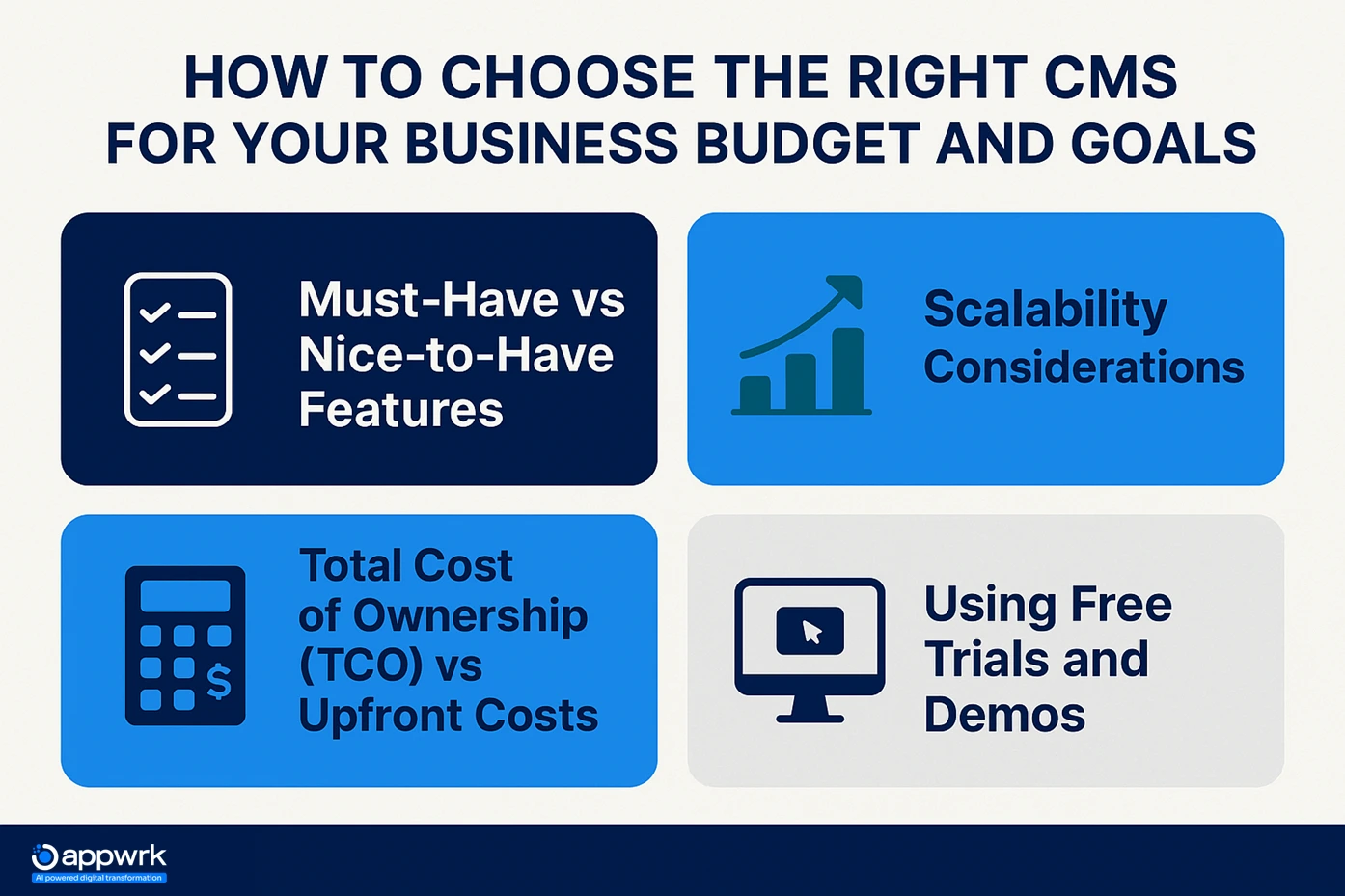
How to Choose the Right CMS for Your Business Budget and Goals
Selecting the right Content Management System (CMS) is a strategic decision that directly affects your digital presence, scalability, and customer experience. To make the right choice, businesses need to evaluate features, pricing models, and long-term value.
Must-Have vs Nice-to-Have Features
The first step is separating essentials from add-ons.
Must-have features: content creation and publishing workflows, analytics, security and compliance, integration with third-party tools, and Content Management capabilities.
Focusing on essentials keeps the upfront cost lean, while leaving space to add advanced features later as budgets grow.
Scalability Considerations
A CMS should grow with your business, not restrict it. Startups may require lean builds today, but the system should scale as traffic, data, and user roles expand. Platforms that lack scalability often lead to costly migrations later. Choosing a CMS with a modular design or Custom Software Development ensures long-term flexibility.
CMS Total Cost of Ownership (TCO) vs Upfront Costs
Looking only at upfront build costs can be misleading. Businesses should assess the Total Cost of Ownership over 3–5 years.
Open-source CMS (e.g., WordPress, Joomla, Drupal): free to download, but costs arise from customization, hosting, and ongoing maintenance.
Proprietary CMS (e.g., Adobe Experience Manager, Sitecore): higher upfront licensing fees, but predictable costs and enterprise-grade reliability.
Custom CMS builds: more expensive at the start, but deliver full control, better integration with Store Development Services, and scalable architecture tailored to unique business workflows.
Using Free Trials and Demos
Free trials and demos are invaluable when selecting a CMS. They allow teams to test usability, publishing workflows, API compatibility, and even Web Design layouts in real-time. This hands-on testing reveals gaps that sales pitches often overlook, ensuring the platform fits your long-term strategy.
The best CMS for your business is one that balances features, scalability, and TCO with your growth goals. By prioritizing essentials, planning for lifecycle costs, and leveraging free trials, companies can avoid overpaying while securing a CMS that supports business efficiency and customer engagement.
How Much Should You Budget for a CMS Based on Use Cases and Business Size?
The cost of CMS development varies widely depending on your organization’s size, technical needs, and industry use case. Here’s how different businesses should plan their budgets:
Mid-sized companies benefit from a balance of advanced functionality and long-term scalability, especially when integrated with Mobile Applications and Digital Marketing strategies.
Large Enterprises and Regulated Industries
Typical budget: $40,000 – $80,000
Best suited for: global enterprises, healthcare providers, financial services, government portals
Recommended platforms: Adobe Experience Manager, Sitecore, Kentico, or fully custom CMS development
At this level, CMS becomes a strategic business asset, driving compliance, global content delivery, and market presence.
Your CMS budget should align with your stage of growth. Startups should focus on affordability and essentials, SMBs on scalability and integrations, and enterprises on compliance, Content Management Systems, and enterprise-grade security. By making a budget-conscious, client-centric decision, businesses ensure their CMS investment delivers long-term value and efficiency.
What Additional Costs Should Businesses Plan Beyond CMS Development?
Building a Content Management System (CMS) is only the beginning. Once the platform is live, ongoing costs come into play, and overlooking them often leads to budget overruns or underperforming results. Here are the most critical additional costs businesses should plan for.
Website Maintenance Plans
Every CMS requires structured maintenance to stay secure and reliable. This includes updating plugins, applying security patches, upgrading server configurations, and ensuring compatibility with new tools or frameworks. Skipping regular upkeep can result in performance slowdowns, downtime, and security breaches.
Digital Marketing Costs with CMS
A CMS is the foundation, but it doesn’t drive traffic on its own. Businesses must plan for Digital Marketing investments that amplify reach and generate ROI:
Search Engine Optimization (SEO): Optimizing content, meta tags, and site performance for higher visibility.
Pay-Per-Click (PPC) Advertising: Running targeted ads on Google Ads and social platforms.
Content Marketing: Blogs, guides, and multimedia built for engagement and lead generation.
Email Marketing: Automated campaigns that nurture prospects and drive conversions.
Social Media Marketing: Sharing and promoting CMS-driven content across channels.
These costs often exceed the initial CMS build but are vital to strengthening online presence and ensuring your website delivers measurable business value.
Analytics and Reporting Tools
Most CMS platforms include basic analytics, but businesses aiming for deeper insights often need third-party reporting, Big Data integrations, or visualization dashboards. These provide clarity on user behavior, ROI, and long-term performance optimization.
Training and Onboarding
Even user-friendly CMS platforms require team training. Content creators, marketers, and administrators benefit from structured onboarding, whether through online workshops, in-person sessions, or dedicated support hours. This upfront investment speeds up adoption and maximizes productivity.
Support and SLA Contracts
For enterprises and high-growth companies, service-level agreements (SLAs) are essential. These cover 24/7 support, guaranteed uptime, and priority issue resolution. While they add recurring costs, they ensure business continuity for mission-critical CMS platforms.
Bottom line: Beyond the build, businesses must plan for maintenance, marketing, analytics, training, and support. These ongoing investments protect performance, strengthen customer trust, and keep the CMS aligned with growth goals.
How Appwrk Can Help in CMS Development
At Appwrk, CMS development is not just about writing code; it’s about aligning technology with long-term business outcomes. We see CMS as a strategic enabler of efficiency, growth, and ROI.
Our team has delivered CMS solutions for startups, SMBs, and enterprises across sectors like e-commerce development, SaaS, education, and healthcare. Each build focuses on scalability, usability, and security, ensuring the platform grows with your business.
What sets Appwrk apart is our ability to optimize costs without compromising quality. By leveraging open-source tools like WordPress, modular Store Development Services, and agile delivery models, we reduce CMS Total Cost of Ownership (TCO) by 30–40% compared to traditional IT companies.
We don’t just deliver a CMS and walk away; we build long-term partnerships. With ongoing support, maintenance, and enhancements, we make sure your CMS remains secure, compliant, and high-performing.
Whether you need a budget-friendly CMS for a fast launch or an enterprise-grade solution with advanced integrations, Appwrk combines technical specialists, UX/UI design expertise, and proven frameworks to deliver results that last.
How much does a content management system cost? The cost of a Content Management System (CMS) starts at around $5,000 for a basic MVP and can go up to $80,000 for enterprise-grade platforms. The final price depends on features, hosting choices, scalability needs, number of users, and the level of customization. Businesses should also budget for ongoing costs like maintenance, Search Engine Optimization (SEO), and Content Marketing.
Contact us to know the real costs to build your content management system right away.
How to build your own CMS? Building your own CMS involves a structured development lifecycle: requirement analysis, system design, backend and frontend development, integrations, testing, deployment, and ongoing support. While open-source CMS platforms like WordPress are free to start with, custom CMS development from scratch provides full control and scalability. A tailored build usually costs between $30,000 and $80,000 but ensures flexibility for future growth.
How much is a CMS? A CMS can range from $5,000 to $15,000 for startups, $15,000 to $40,000 for mid-sized businesses, and $40,000 to $80,000 for large enterprises. Open-source options such as WordPress are budget-friendly but require development for advanced features. Proprietary CMS platforms like Sitecore or Adobe Experience Manager pricing includes licensing fees, but deliver enterprise-grade Store Development Services and support.
How much does a 10-page website cost? A 10-page website typically costs between $3,000 and $10,000, depending on Web Design complexity, CMS platform used, and integrations needed. Costs rise when advanced features like e-commerce development, payment integrations, multilingual support, or Email Marketing automation are included.
What is the average cost of CMS development? Most businesses spend between $12,000 and $40,000 for CMS development. Costs vary based on whether you choose open-source (WordPress, Drupal), cloud-based (Webflow, Wix), headless CMS (Contentful, Strapi), or fully custom builds designed for enterprise scalability.
Is it cheaper to use an open-source CMS? Yes. Open-source CMS platforms such as WordPress, Joomla, and Drupal are free to install. However, costs arise from customization, hosting, premium plugins, long-term maintenance, and SEO alignment. This makes open-source a cost-effective choice for startups and SMBs focused on building an online presence quickly.
What are the hidden costs of CMS development? Hidden costs include premium plugins, API usage fees, data migration, training, third-party marketing tools, and continuous maintenance. These often add 20–30% to the total budget over 3–5 years. Factoring them in early ensures better budget control and sustainability.
How long does it take to build a CMS? On average, a CMS takes 3–6 months to develop. A simple MVP may be ready in 8–12 weeks, while a fully custom enterprise CMS with advanced features like AI-driven personalization, scalability modules, and regulatory compliance can take 6–9 months.
Can a CMS scale as my business grows? Yes. A well-architected CMS scales with your business, supporting higher traffic, multiple websites, role-based permissions, and integrations with CRMs or ERPs. Choosing modular architecture ensures the CMS can expand without costly migrations later.
Which industries benefit most from CMS development? CMS platforms benefit a wide range of industries:
E-commerce and Marketplaces for product catalogs, payment integrations, and Online Shopping Cart workflows.
Media & Publishing for editorial workflows, scheduling, and ad monetization.
SaaS and Tech Companies for knowledge bases and product documentation.
Education & E-learning for course delivery and Content Management.
Healthcare and Regulated Industries for secure data, compliance, and scalability.
Government, Enterprises, and Nonprofits for portals, accessibility, and transparency.
Each industry adapts CMS differently, but all gain efficiency, faster publishing, and better customer engagement.
Gourav Khanna is the Co-founder and CEO of APPWRK, leading the company’s vision to deliver AI-first, scalable digital solutions for enterprises and high-growth startups. With over 16 years of leadership in technology, he is known for driving digital transformation strategies that connect business ambition with outcome-focused execution across healthcare, retail, logistics, and enterprise operations.
Recognized as a strategic industry voice, Gourav brings deep expertise in product strategy, AI adoption, and platform engineering. Through his insights, he helps decision-makers prioritize market traction, operational efficiency, and long-term ROI while building resilient, user-centric digital systems.
Subscribe to APPWRK Blogs, We'll Do the Rest!
Get Blogs on UI/UX, Mobile Apps, Online Marketing, and Web development technology.
Unlock worthy and priceless suggestions from the masters of mobile and web app development